top of page
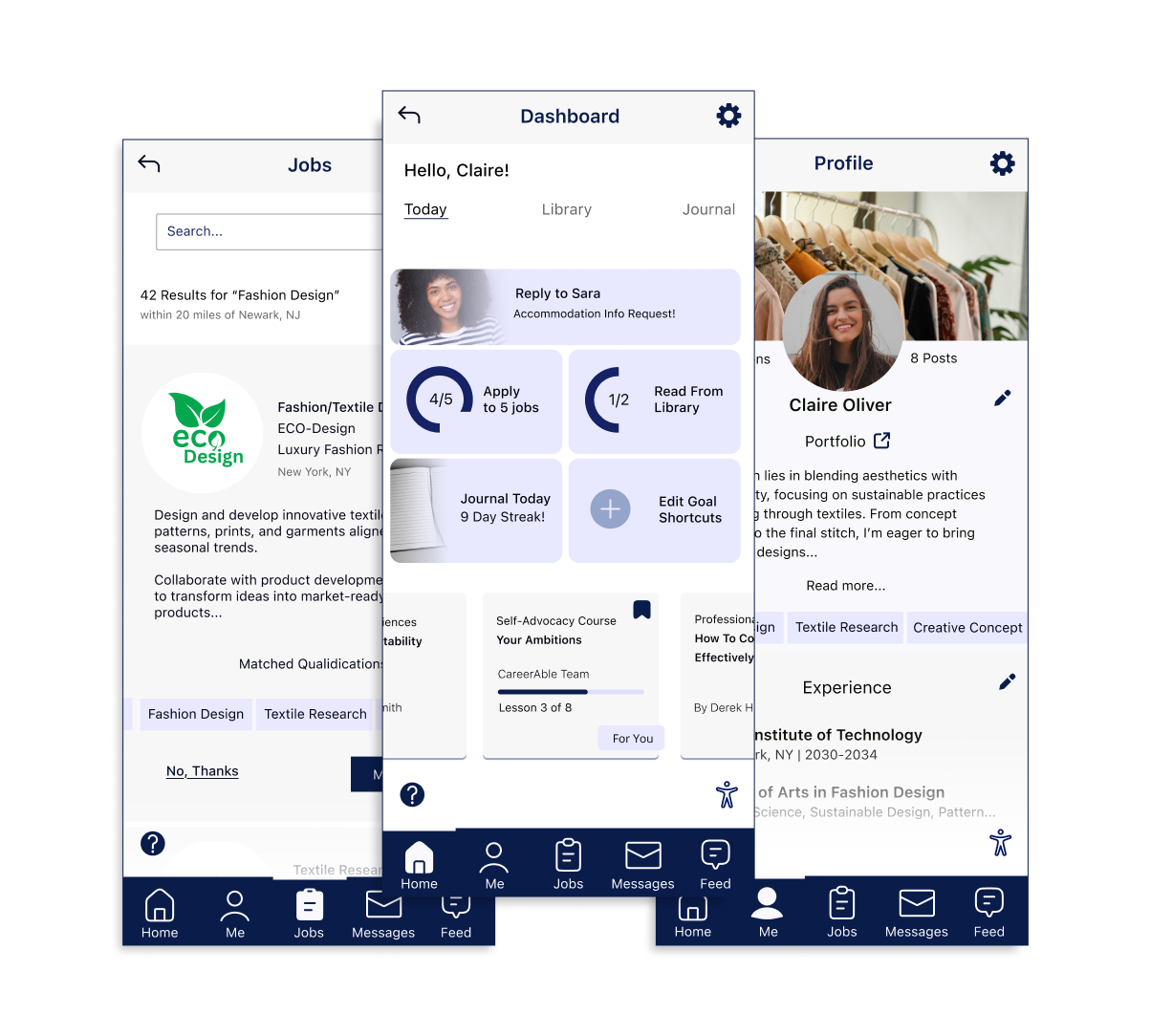
CareerAble
Welcome to your personalized career builder that prioritizes your accessibility needs.
A UI/UX case study.
CareerAble
Overview
CareerAble is a professional job seeking app that aims to inspire and assist those with disabilities or special accommodation needs in their job search. Users can apply to jobs, choose to disclose their accessibility needs to eager recruiters, participate in a diverse social community, read up on helpful resources, and more.
Role: UI/UX Designer
Use Case: Conceptual Case
Duration: 1 Year
Tools Used:

Figma

Procreate

Sheets

Forms

FigJam

Miro

Docs
Design Process
In the world of design, the process is usually demonstrated in five steps: Empathize, Define, Ideate, Prototype, and Test.
While these steps are crucial to user-centered design, it's important to note that such processes are not always linear. This diagram, created by Jasper Liu for ICF international, demonstrates the design process for this project.

As shown, empathizing, defining, ideation, prototyping, and testing are the main steps used in the design process. These steps are often revisited through iteration techniques as needed.
Empathize
The Empathize step in the design process is often used in assessing the state of a current product's user base. For this conceptual project, personal experiences from my identity as a person with a disability were the inspiration for a disability advocacy project.
Secondary Research
Research focused on understanding employment struggles faced by people with disabilities. The main purpose of research is to determine whether the hypothesized issue is a proven issue, a solvable issue, and one that can be approached by virtual product design.
Key areas explored included unemployment rates, types of disabilities affected, job-hunting experiences, employer practices, and available support systems.
Findings
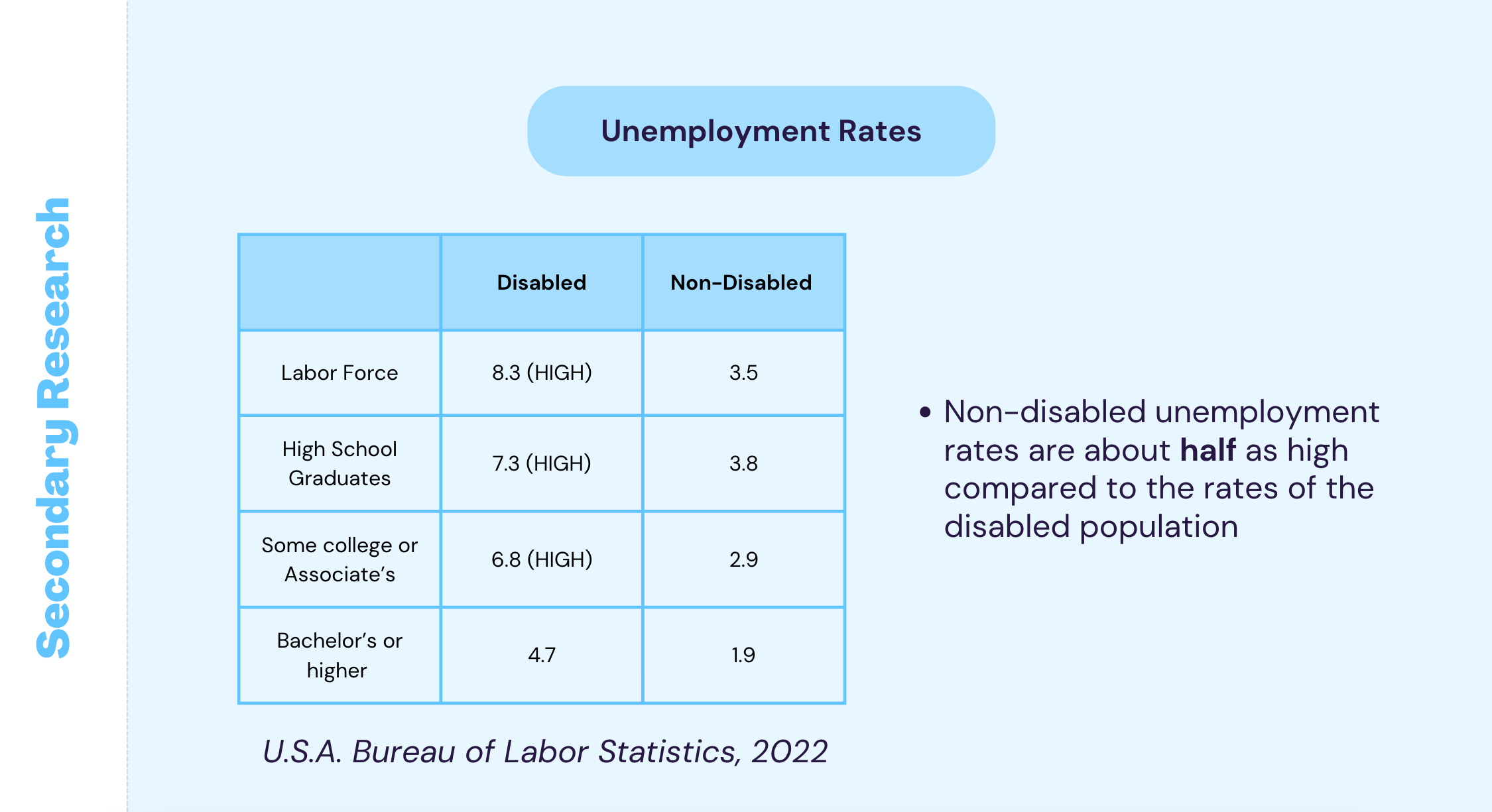
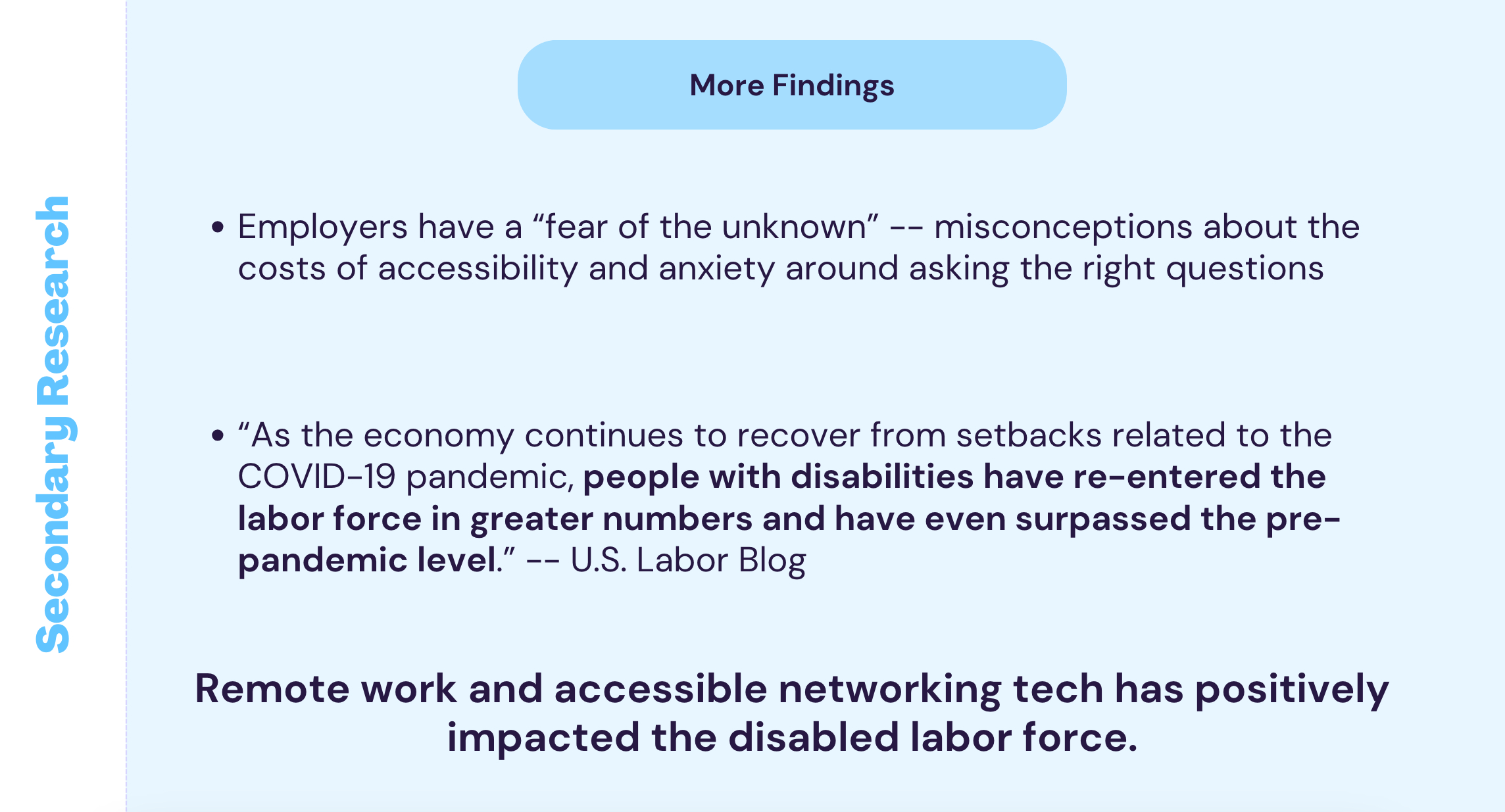
Unemployment among disabled workers is twice as high as non-disabled workers, though rates have improved post-pandemic due to remote work, suggesting indirect benefits from broader accessibility efforts.
-
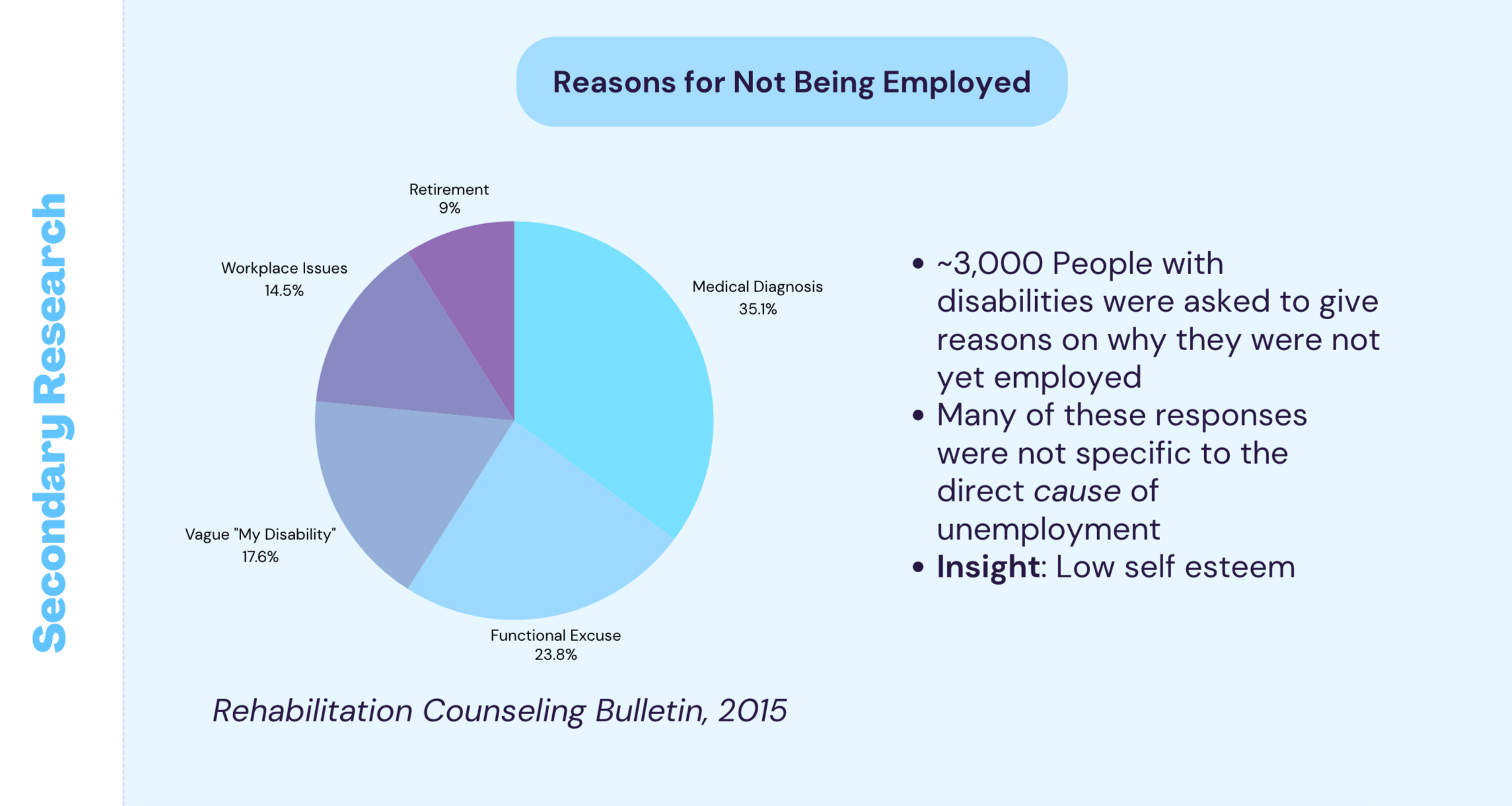
Many disabled individuals experience lasting impacts of ableism, with low self-esteem and lack of direction being major barriers to employment, especially for those newly disabled.
-
Mental health resources and rehabilitation are critical needs.
-
Most disabled applicants choose not to disclose their disability during hiring.
These findings led to a new question: Is it time to move beyond hiding disabilities?
This inspired a deeper exploration into building solutions focused on self-assurance, communication, and bridging gaps between disabled applicants and hiring managers.
To view the entirety of the secondary research article, click: Secondary Research
Research Plan
A research plan was written to display the objective, methods, schedule for conducting interviews, and data synthesis to generate primary and exploratory research.
Creating this plan helped visualize the due dates for a long project and gives an insight into communication with stakeholders.
Key areas explored included unemployment rates, types of disabilities affected, job-hunting experiences, employer practices, and available support systems.
Interviews
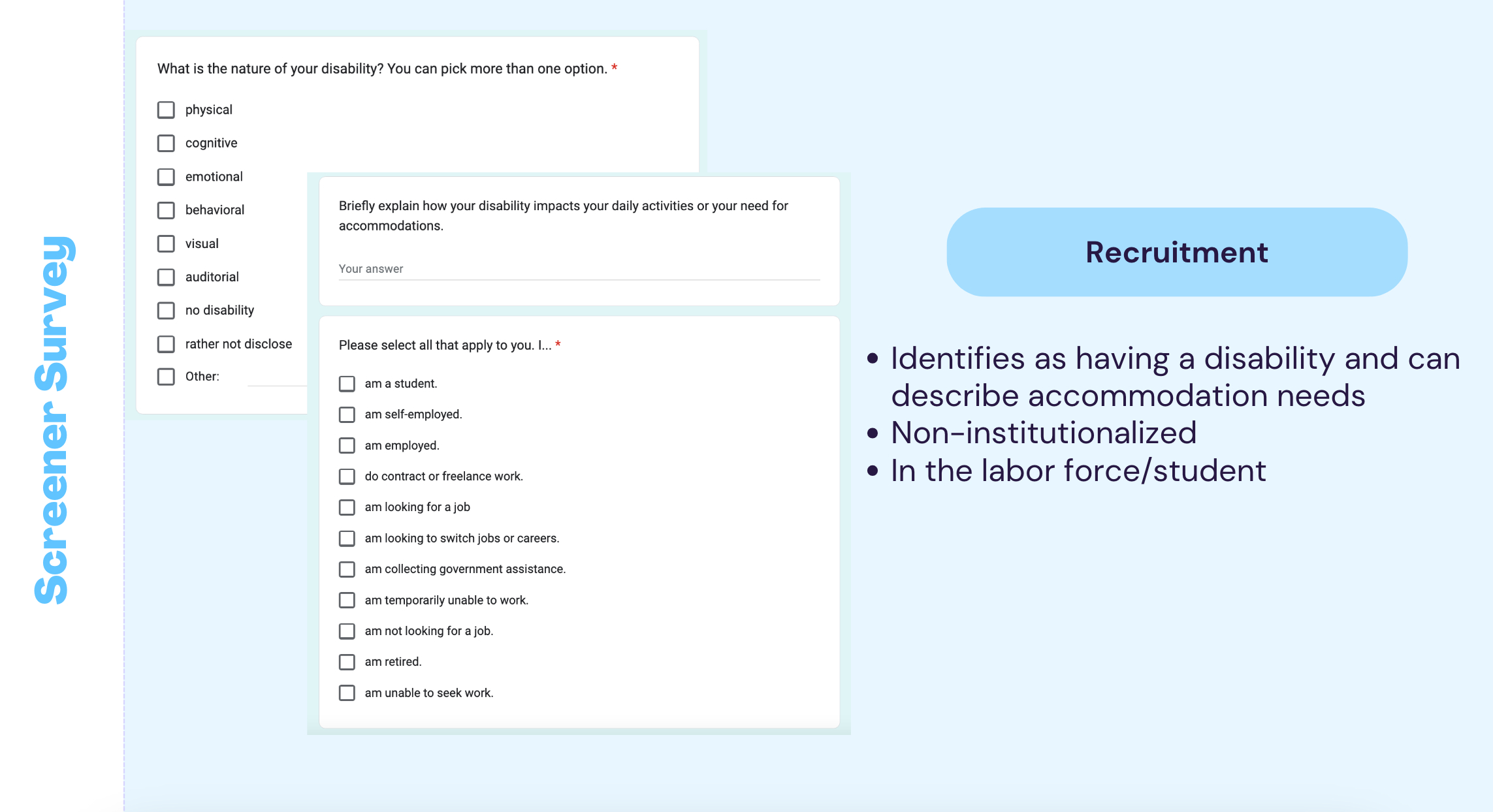
Screener Survey
A screener survey was sent out to catch potential participants for interviews.
Vague descriptions of the study are created to lure participants in without giving away the purpose of the research. Questions were used to narrow down participants without encouraging them to choose specific answers. Questions were also worded to understand
-
People’s personal interpretations of their disability,
-
The nature of it, and
-
Their ability to articulate their need for accommodations - not their diagnoses specifically.
To view the screener survey, click: Screener Survey
Discussion Guide:
Five participants were selected for interviews over the meeting service of their choice.
A discussion guide was created to make a framework for a friendly conversation to respectfully ask conversations about personal opinions like goal setting, formative experiences, self esteem, and their disabilities.
To view the discussion guide, click: Discussion Guide.
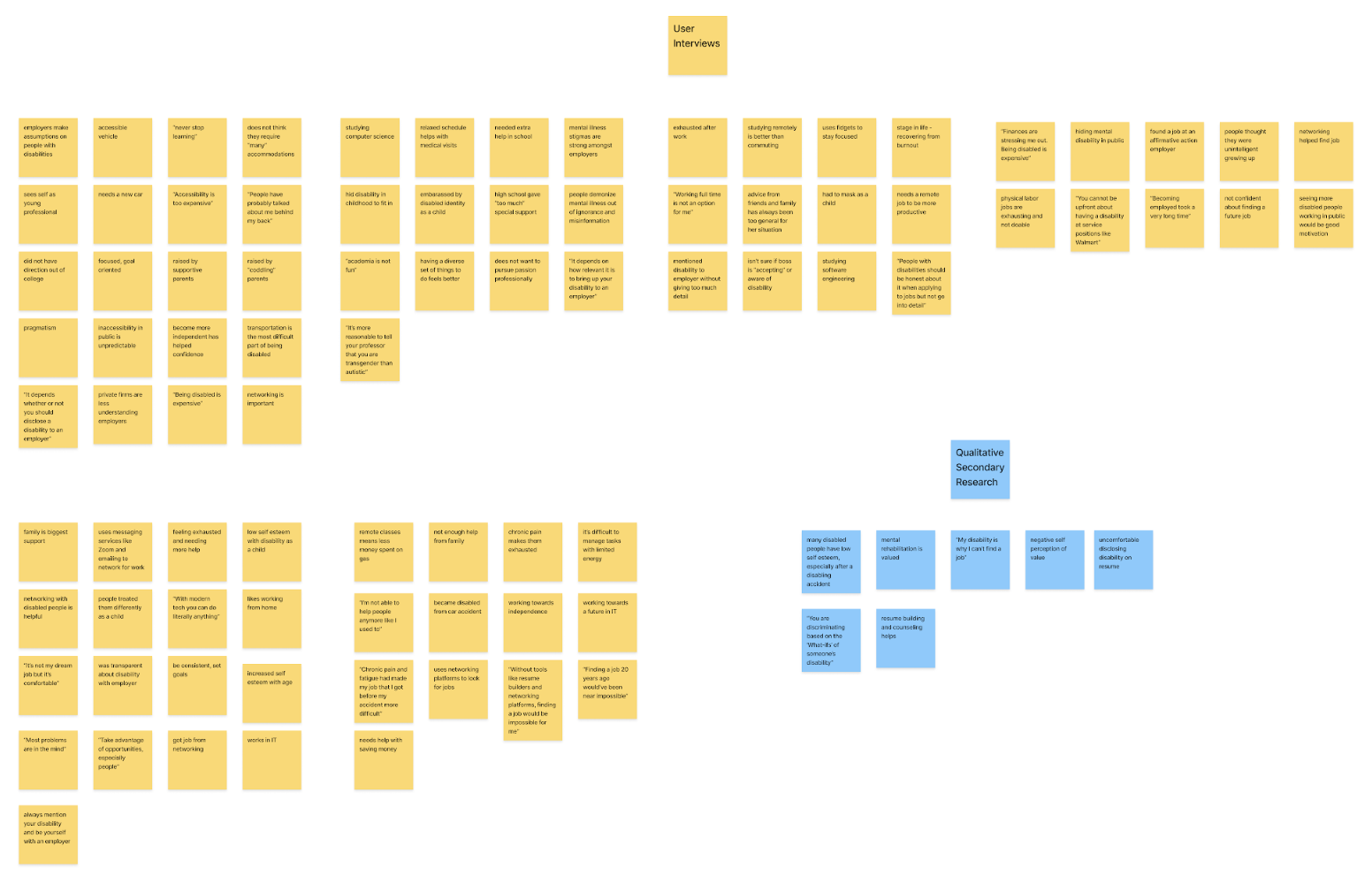
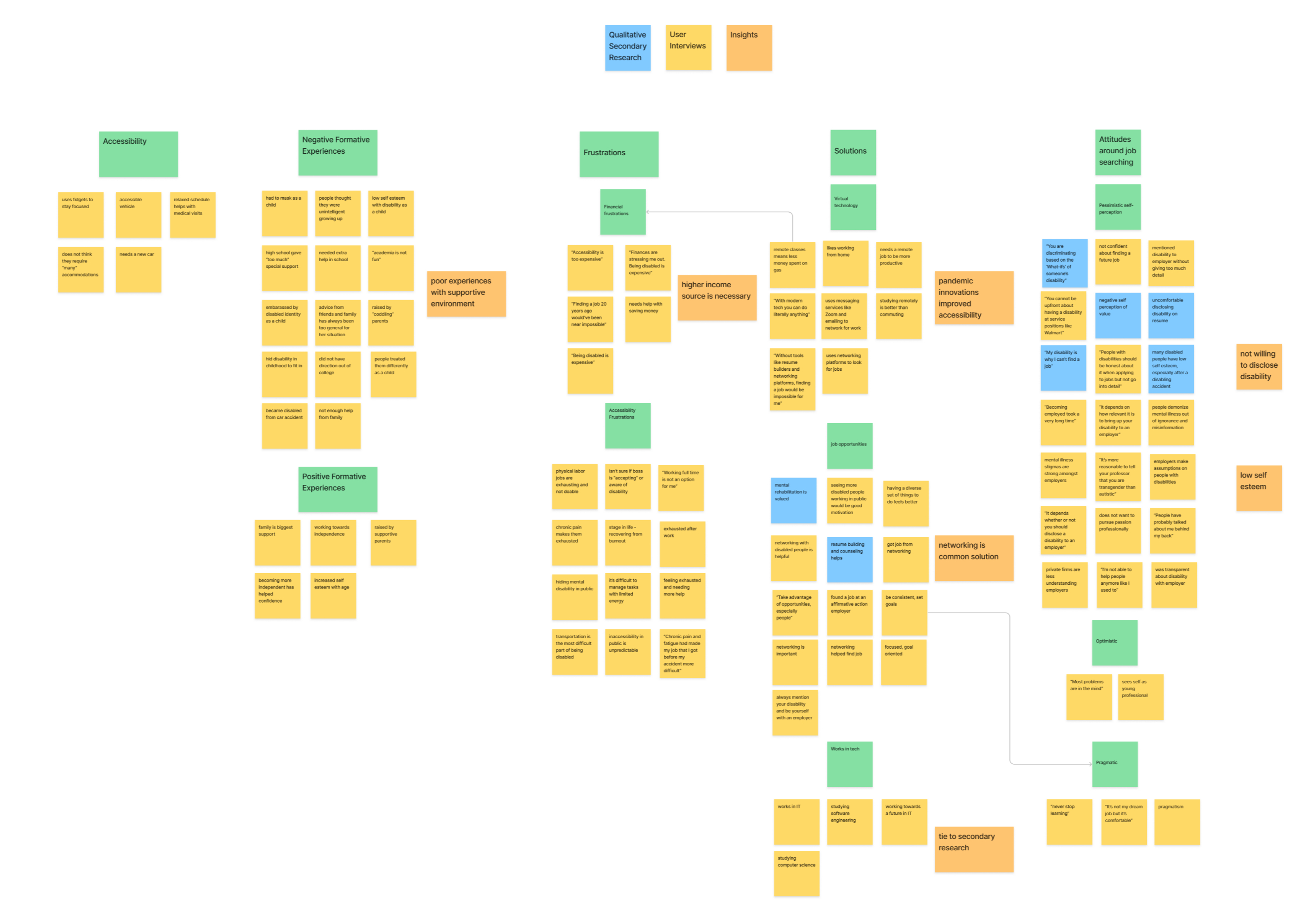
Affinity Map
An affinity map was created to synthesize findings from the interviews and to synthesize qualitative secondary research findings.
Before Sorting
After Sorting
Insights
It was found that interviewees had a commonality of poor guidance/support in formative years, financial difficulties especially from medical costs, low self esteem, and an attraction to accessible jobs in tech.
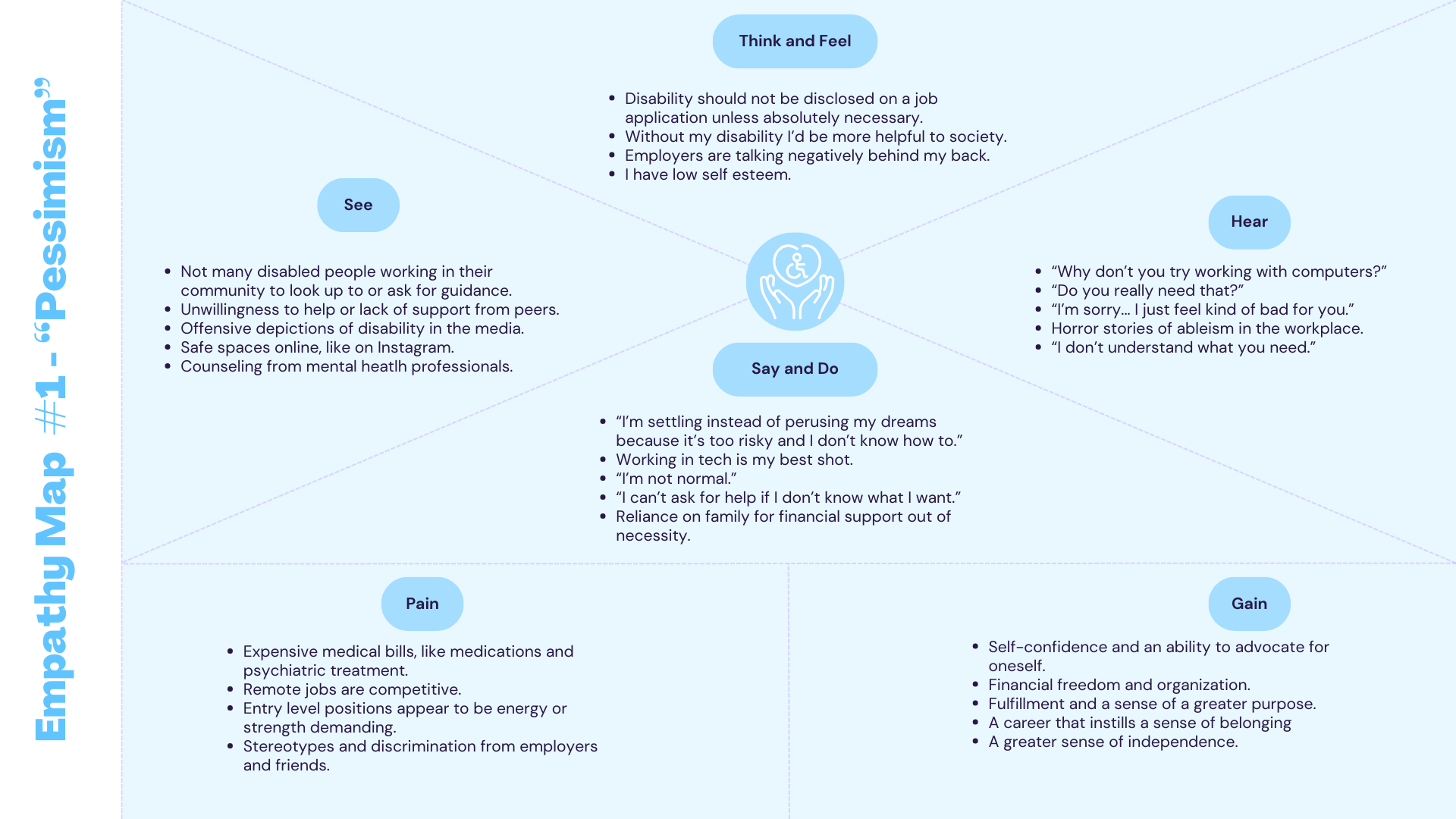
Empathy Maps
Empathy maps were created to hypothesize what users think, feel, say and do. This data was synthesized from interviews and qualitative research.
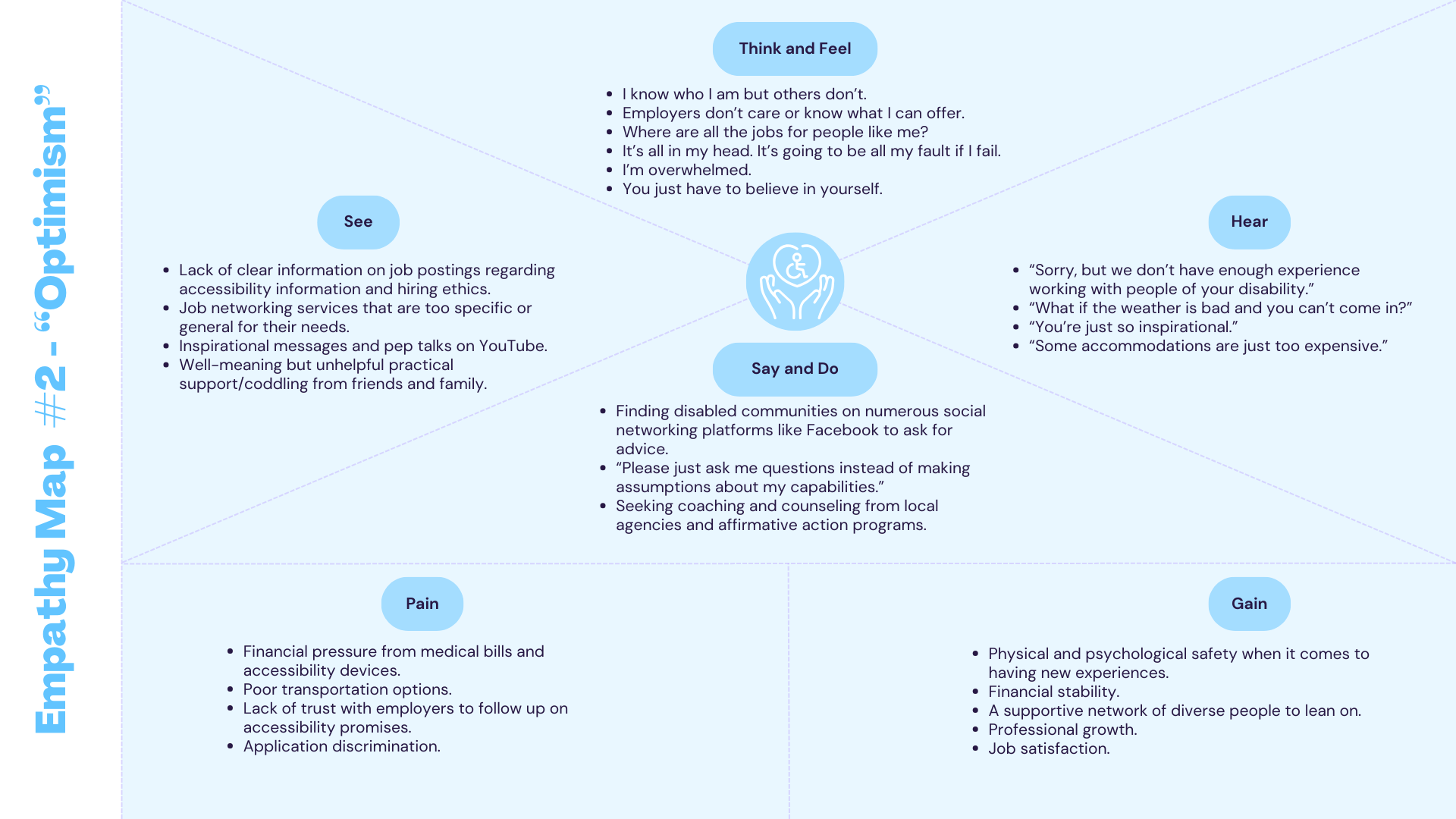
Categorizing Behaviors
There are two kinds of directional attitudes that users may have – optimistic and pessimistic.
While not every person may see things so black and white (many interviewees demonstrated pragmatic thinking), these split attitudes represent phases that disabled people live through at different points in their lives.
These are not “pessimistic” and “optimistic” people, but rather, people in the present moment who are at different phases in their lives.
Personas
Personas were created to summarize information created from empathy maps.
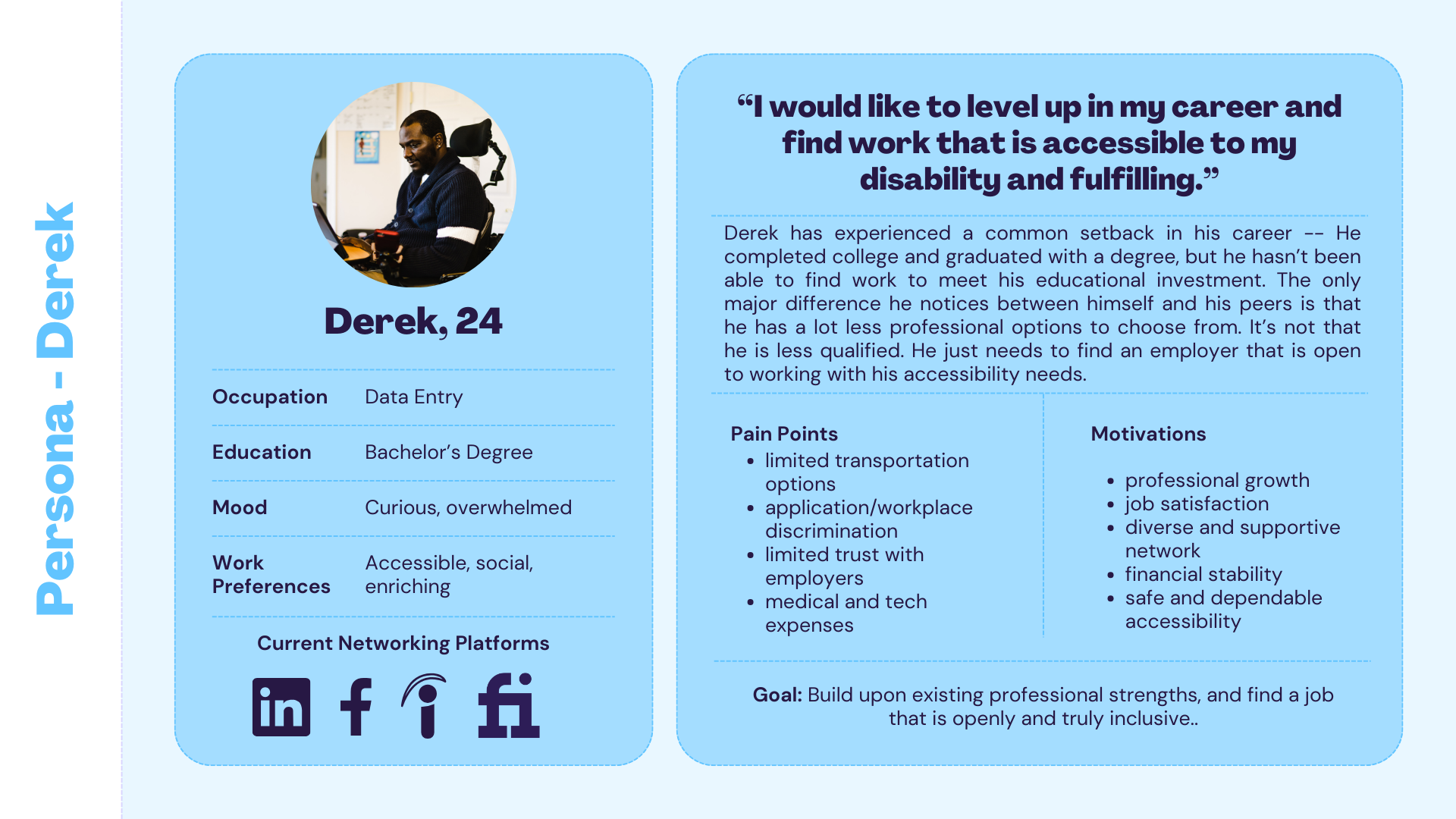
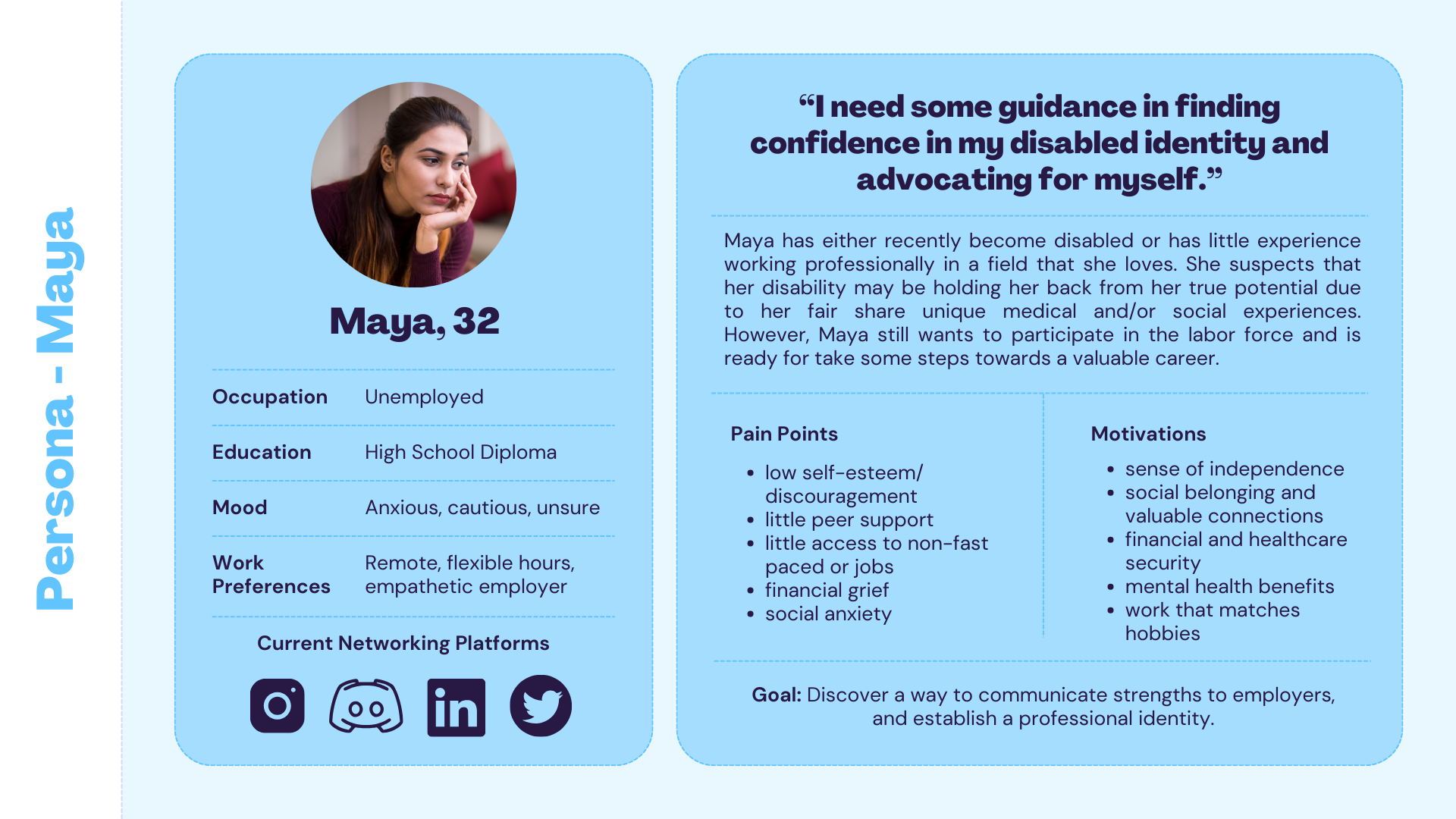
Personas Summary
From the empathy maps, personas matched up the attitudes, worries, experiences, and goals that these users may experience.
Two personas were made – one that demonstrates someone who has low confidence and little experience job hunting as a disabled person, and the other one with a more solid understanding of themselves and clearer goals in mind.
Jobs to Be Done
A Jobs to Be Done framework was used to formulate insights into disabled people’s motivations in reference to their work status.
These insights were categorized into jobs including related jobs, emotional jobs, and social jobs.
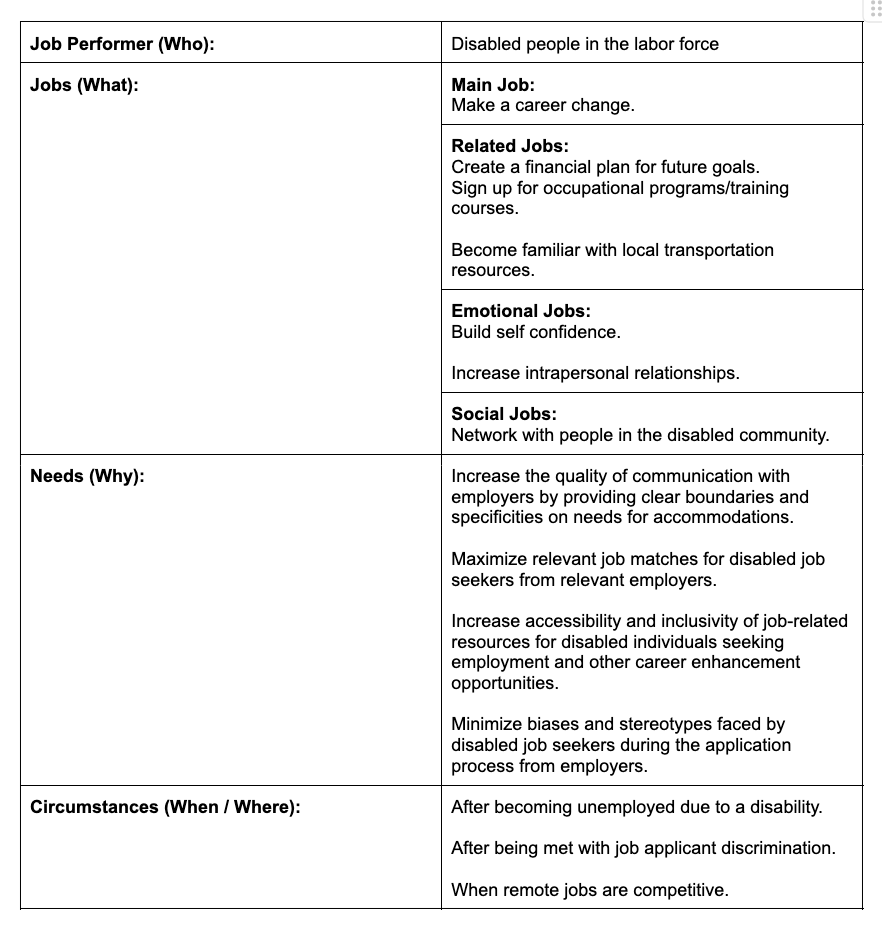
Purpose
Jobs were categorized to discover what problems are most important to potential users.
How Might We
How Might We problem statements were generated from analyzing the list of important motivations that potential users have from the Jobs to Be Done framework.
-
How might we assist the disabled population in financial goals and planning?
-
How might we increase the quality of communication between disabled job applicants and employers?
-
How might we increase the quality and quantity of job choices that disabled job seekers discover?
-
How might we increase confidence in the disabled population’s ability to self-advocate?
-
How might we assist the disabled population’s ability to access helpful advice and resources from like-minded and experienced peers?
Insights
Problem statements needed to be specific to the research and insights synthesized but general enough to generate multiple solutions to potential solvable problems.
It was concluded that the first statement regarding financial literacy does not have enough relation to the professional concerns that disabled individuals have in career growth.
Discovered Objective
After brainstorming some solutions, the following project idea was selected:
Create a networking platform between disabled job seekers and recruiters that allow those with disabilities to have a more personal experience with the job application process.
Similar to a dating app, users customize a professional eye-catching profile to break down stereotypical barriers and humanize their application process in a world where assumptions and stereotypes exist.
Applicants and recruiters can chat with one another to build trust and break down preconceptions and questions about working for specific organizations.
User Stories
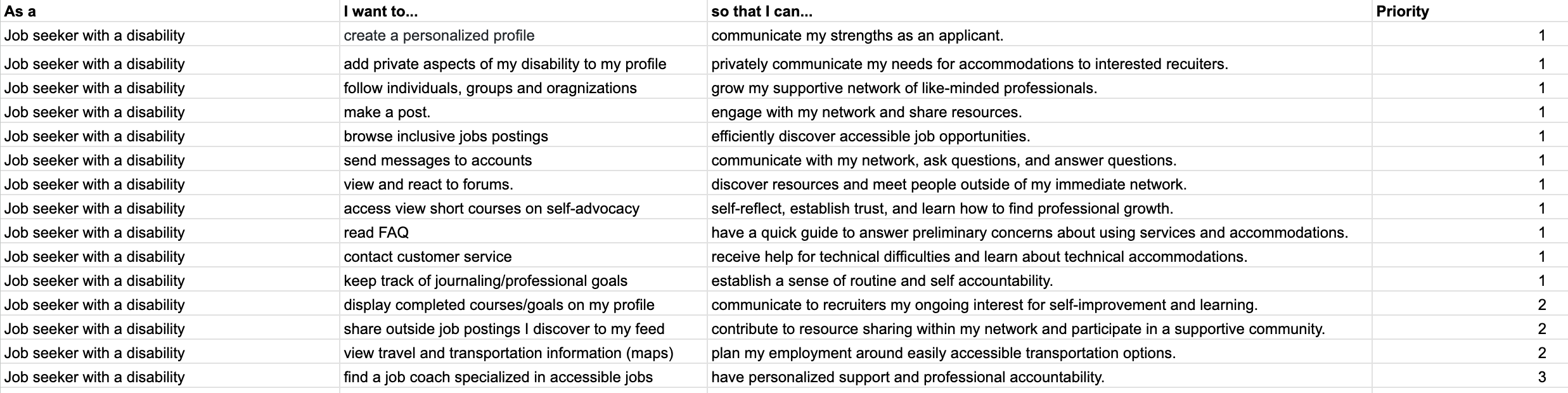
User Stories were created to articulate how and why users will use the product.
It can assist in keeping the design process on-track by paying attention to specific user pains and interests as discovered in prior research.
These stories may become product features that address specific concerns and desirable actions.
Product MVP
A Minimum Viable Product (MVP) is necessary to create the minimum number of features that will complete a working product for release.
It is important to keep in mind the features that should and should not be realistically prioritized.
Here, the features that may be prioritized are the ones regarding networking, job finding, goal setting, and profile personalization to communicate needs for accommodation and strengths.
Define
The Define phase of the UI/UX process is dedicated to synthesizing results from the "Empathize" phase into actionable design goals.
Site Map
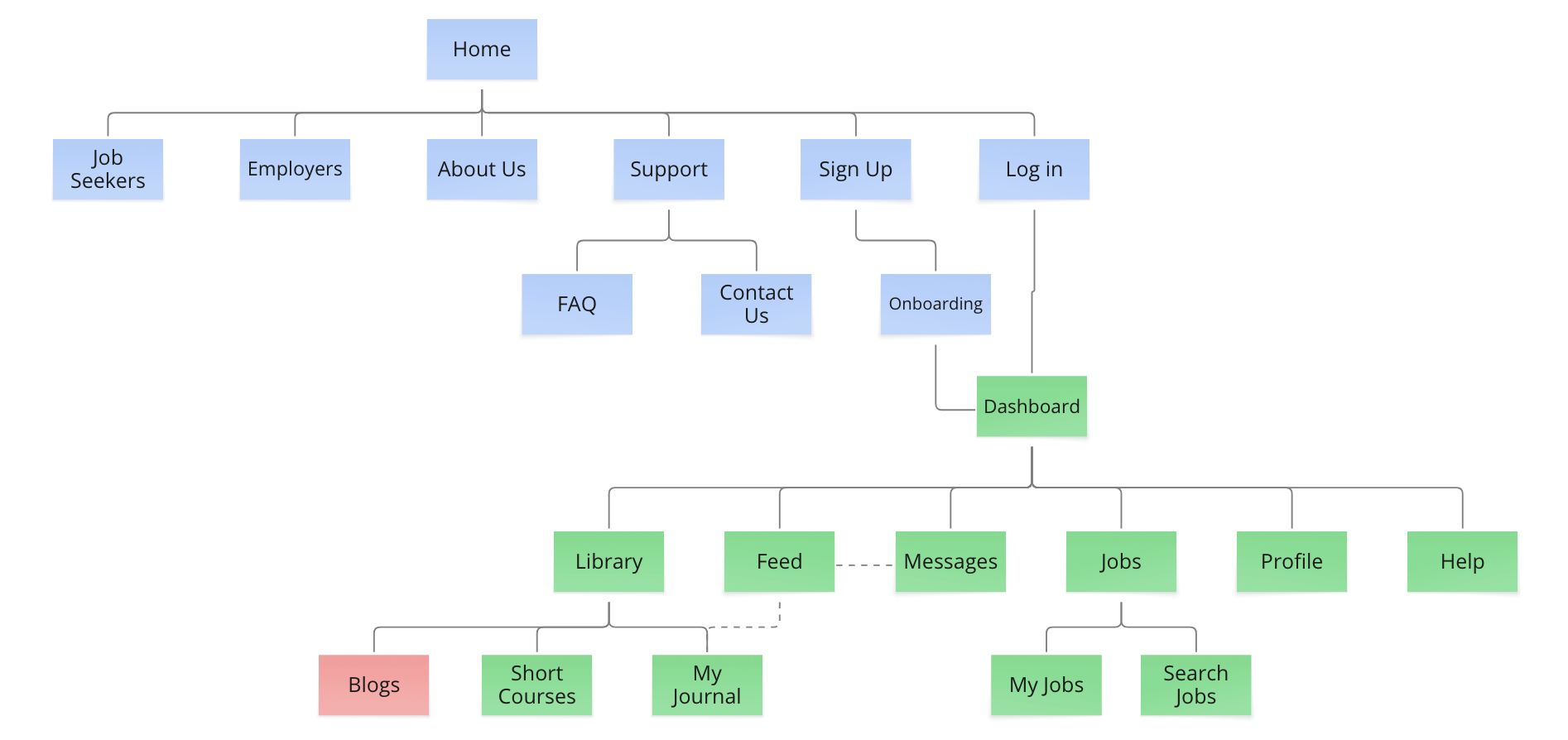
Beginning with Information Architecture, an early version of a site map was produced to show the relationship between pages on the future platform. It is important to note that the first half of these pages (in blue) would be included in a desktop version of this service.
IA Approach
The latter items in green were used in a mobile-first approach to the user experience. As screens were tested and iterated, the organization of these pages changed for more efficient designs. These changes will be shared later.
A mobile-first design not only helps translate UI elements more efficiently for bigger screens, but it also allows for a user base centered around accessibility to use a product that is sensitive to their abilities and adaptations. Many users in this community may use tools like screen readers, styluses, and other adaptations to interact with UI.
User Flows
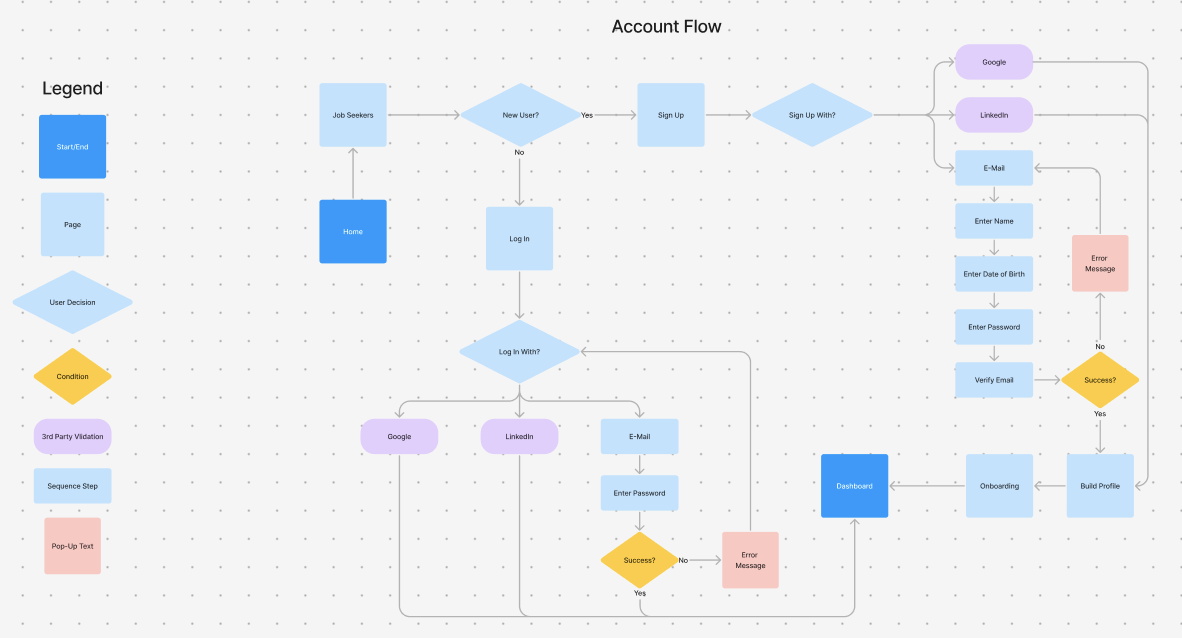
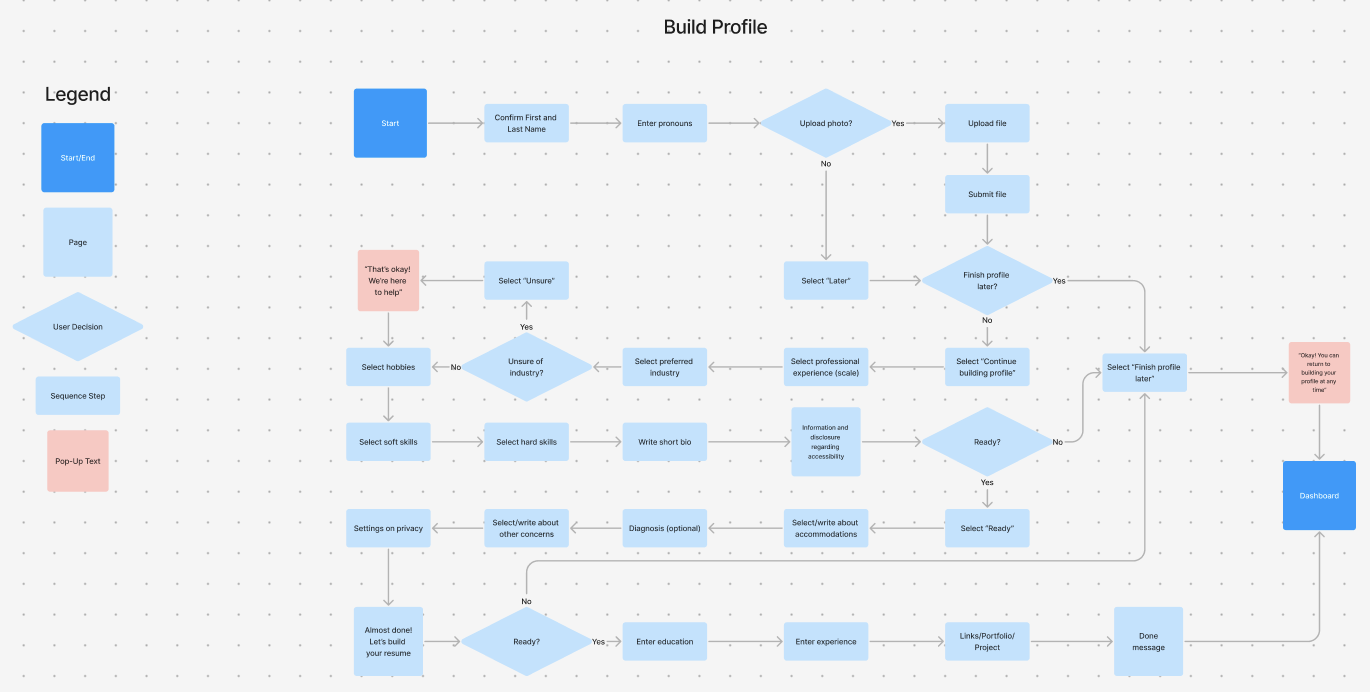
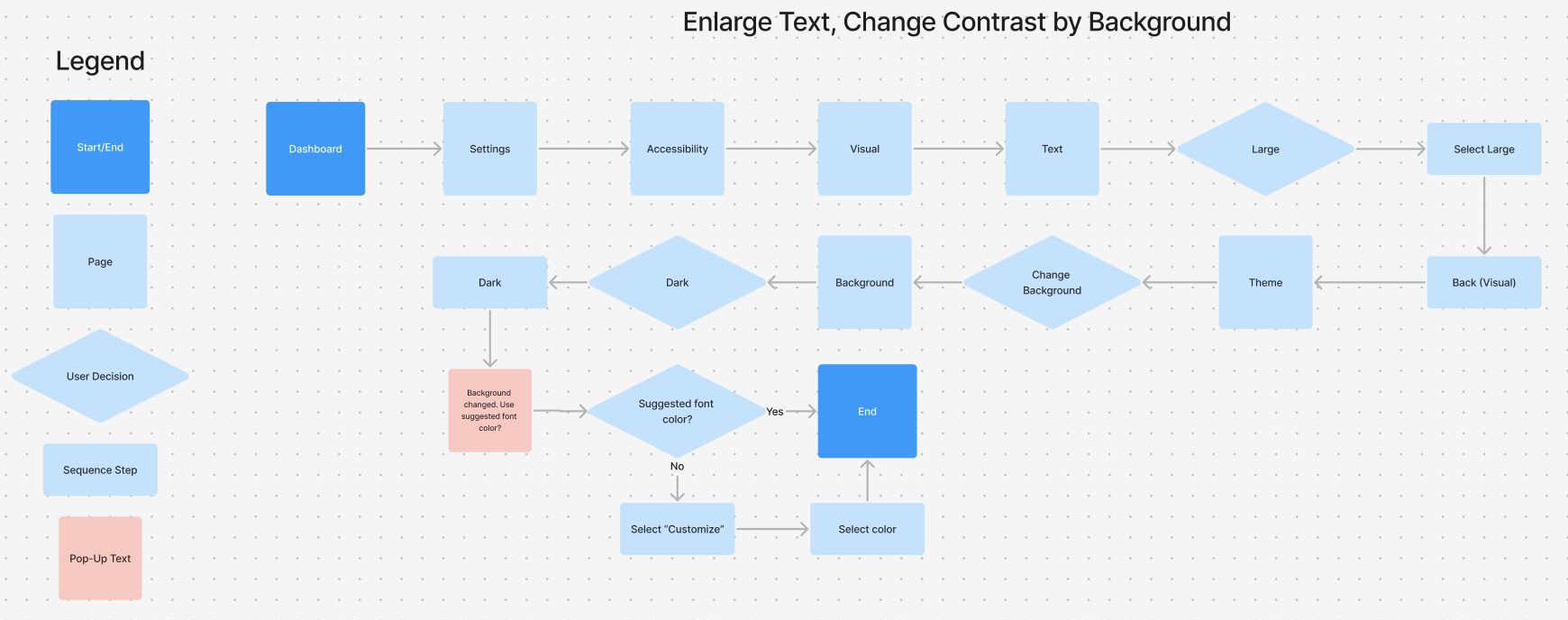
User Flows are pivotal to outlining the most important tasks, or red routes, users are likely to follow when completing tasks in the application. User flows are especially important for the hand-off step to engineers.
Red Routes
The flows displayed here were the most important parts of the onboarding process. Setting up an account, building a profile, and adjusting accessibility settings help users form their app to their own accessibility needs.
Having personalization options early in the onboarding process reduces both physical and cognitive friction to make the experience feel tailored and reciprocative.
Heuristic Analysis of Competitors
To better gauge the state of competition in the accessible job finding market, similar product categories were researched for their strengths and weaknesses.
The following are competitors that will be analyzed in this analysis:
Mentra is a professional platform for neurodivergent professionals.


Linkedin is a popular professional social networking and job board service.
AbilityJOBS is a job search platform for people with disabilities.
Nielson's Ten Heuristic Principles
The following points from Nielsen’s ten heuristic principles in interaction design will be used to judge three similar competitors:
-
Match Between the System and the Real World
-
Are real-world conventions used to help users easily recognize and understand how to use the product? Is the design intuitive?
-
-
Flexibility and Efficiency of Use
-
Does the product have features like shortcuts that makes using it less physically complex?
-
-
Help and Documentation
-
Does the product feature tips and help in a convenient and organized manner? Is it easy to find where to get help?
-
-
Accessibility Tools
-
Is there a dedicated space for accessibility settings or features within the product, like changing contrast and font size?
-
The last heuristic evaluated is not a Nielsen heuristic principle but is relevant to this project.
Summarized Insights
There are not many market competitors for job seekers with special accessibility needs. Those that do exist are often associated with dense resource pages managed by state agencies or local organizations.
A helpful catch-all engaging platform for job seekers has not yet been established. Much of these resources tend to be hard to sift through and not thoroughly customized.
This further assists in the confidence that such a platform would greatly aid the community.
For a detailed report of this analysis, please click this link: Analysis.
Ideate
Sketches
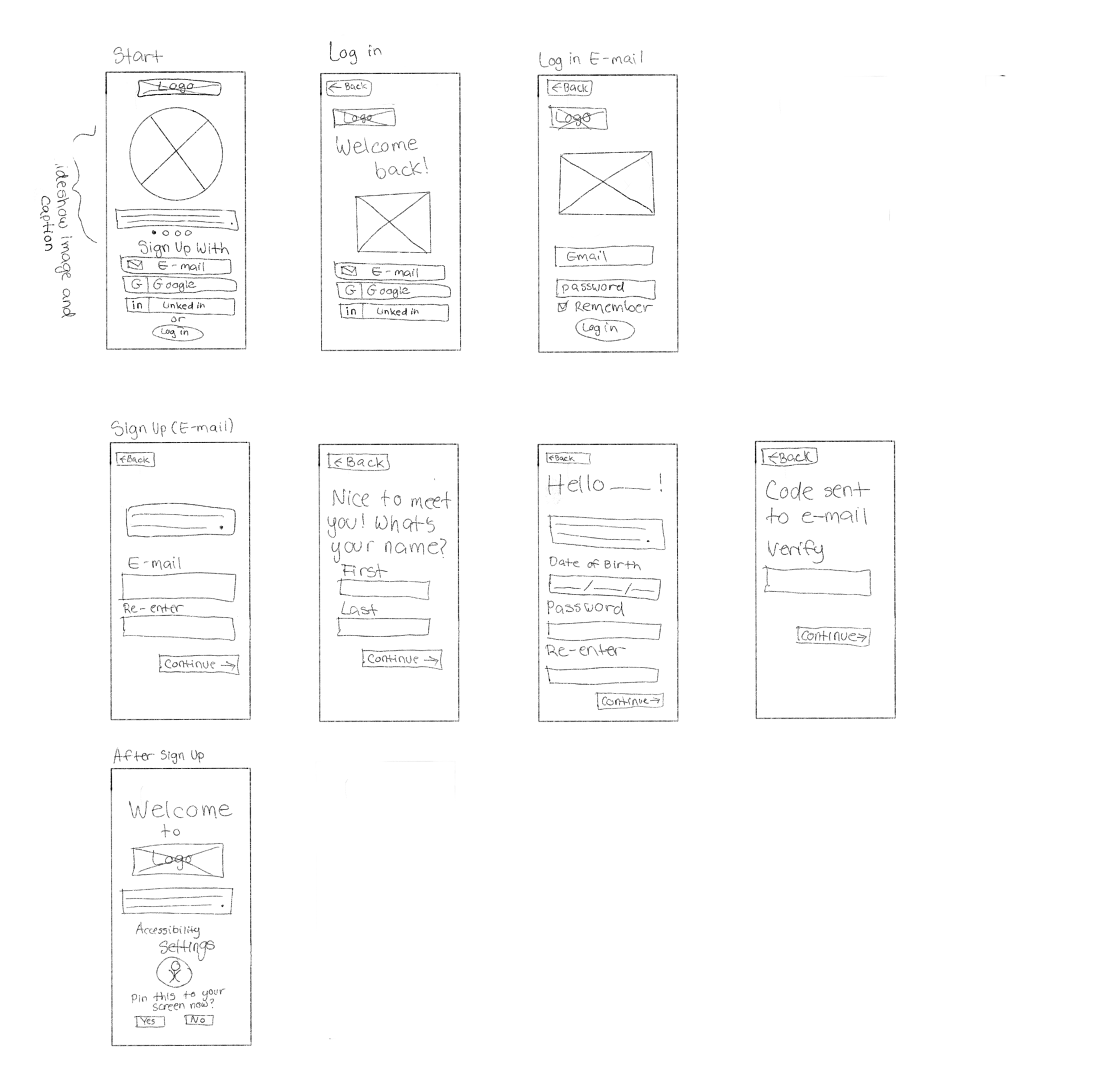
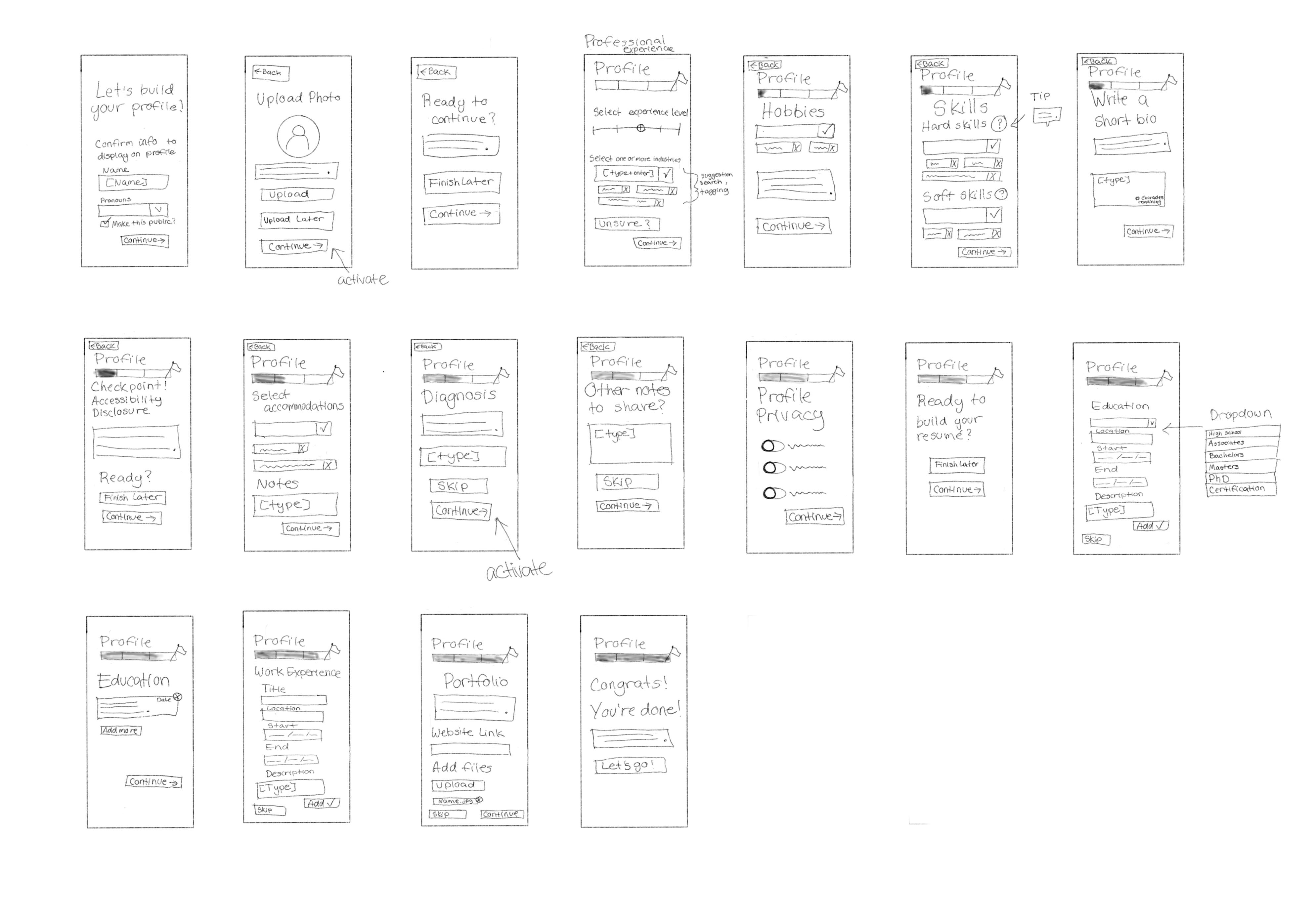
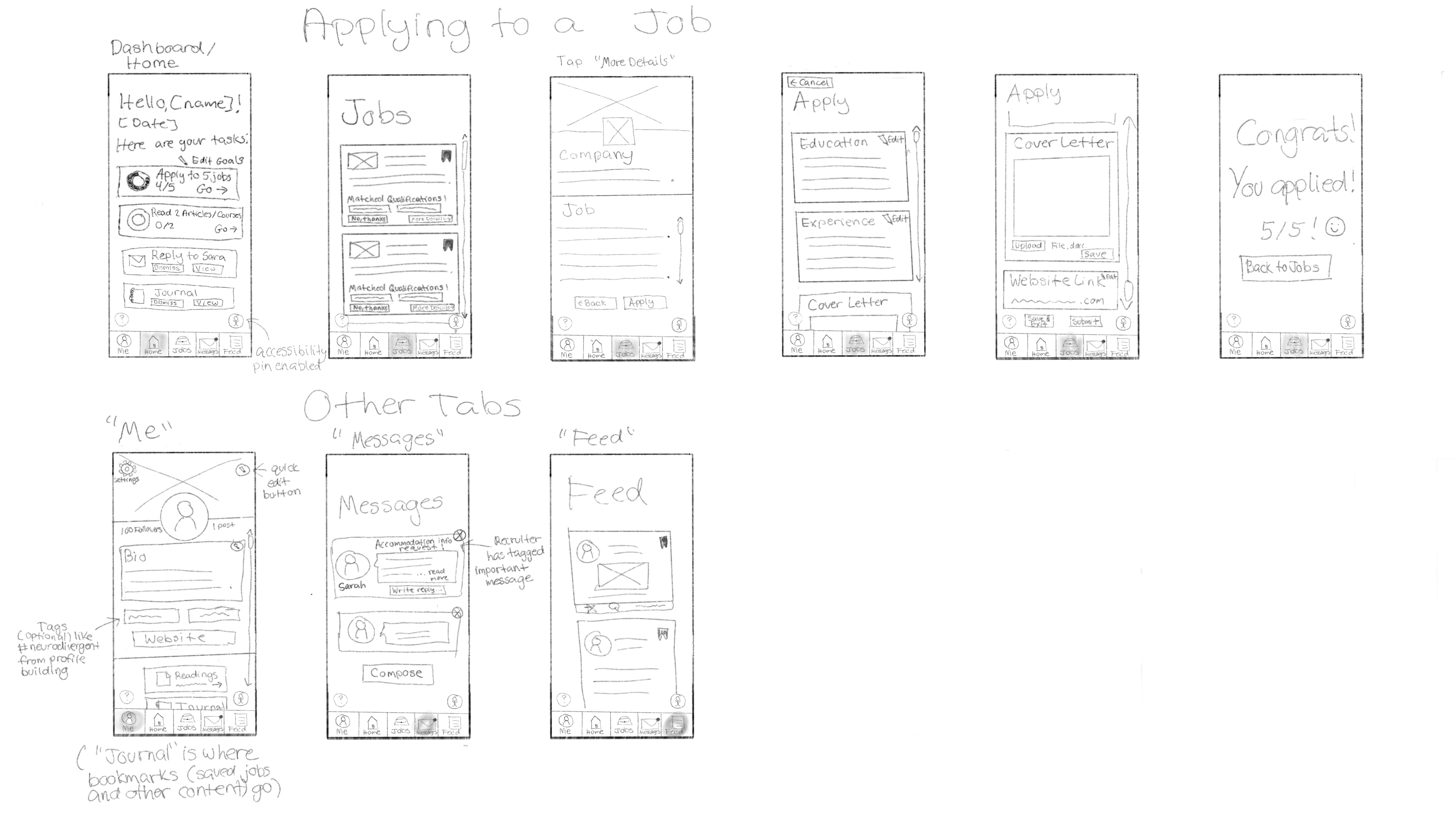
The Design process begins with brainstorming potential solutions with editable low-fidelity sketches. In addition to sign up, profile building, and accessibility red routes, the most important route, applying to a job, was outlined in sketches.
Creating an Account
Onboarding
Applying to a Job
Accessibility Settings
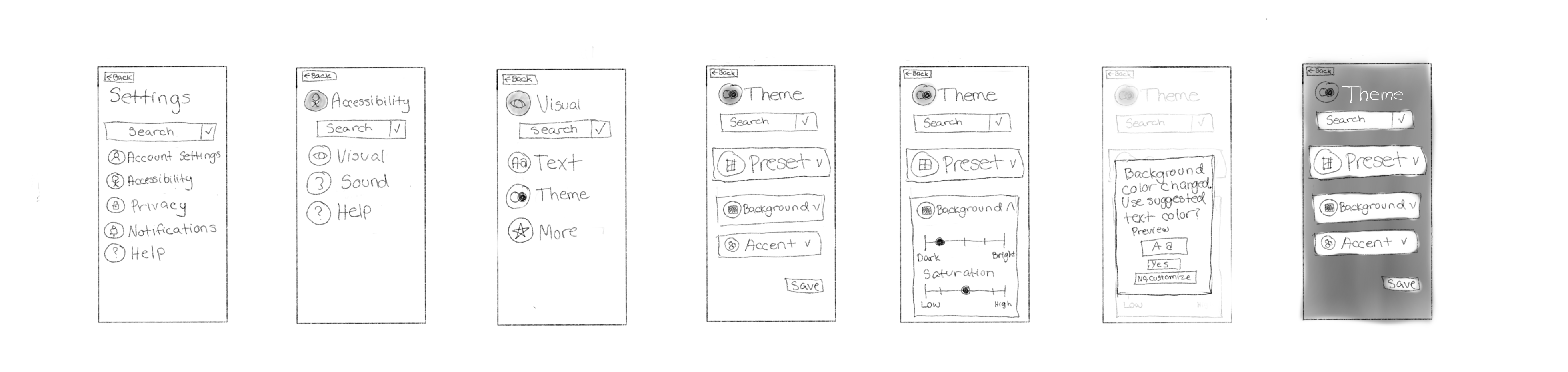
Accessibility Red Route Changes
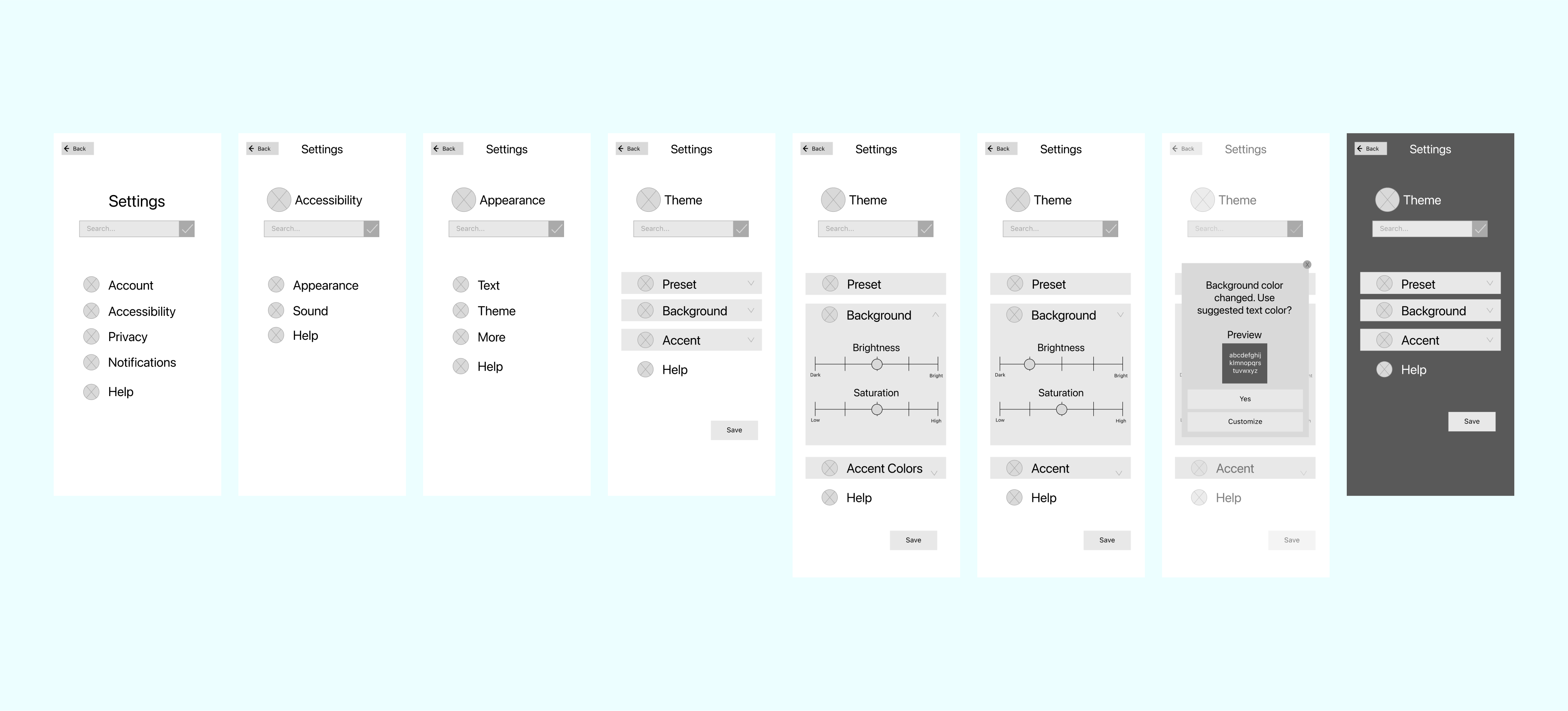
In the original User Flows graphic, the accessibility setting red route displayed paths for both enlarging the text and changing the background color to a dark mode.
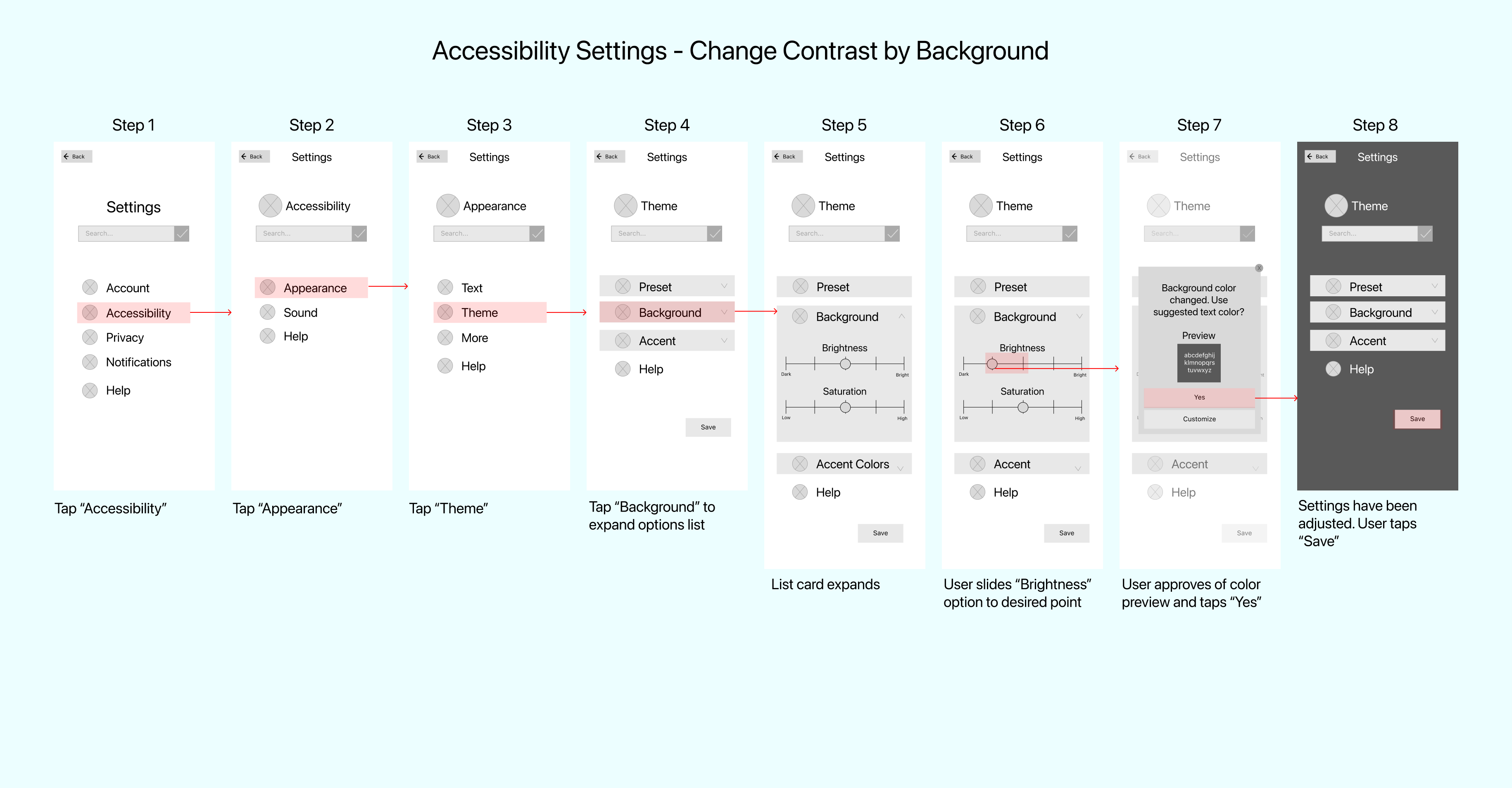
To simplify these steps to display a more common preference, screens thus far have been simplified to highlight background contrast.
Prototype
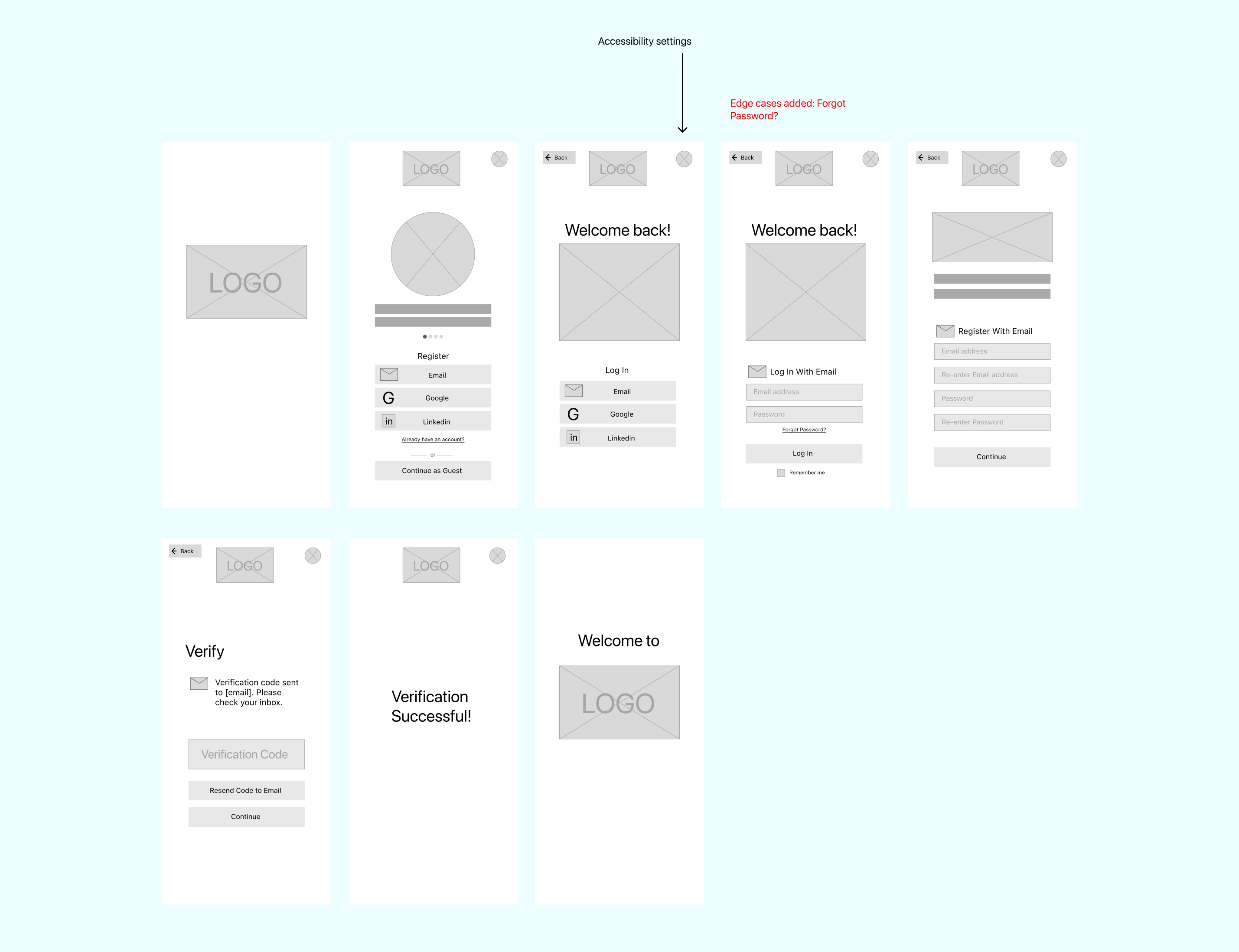
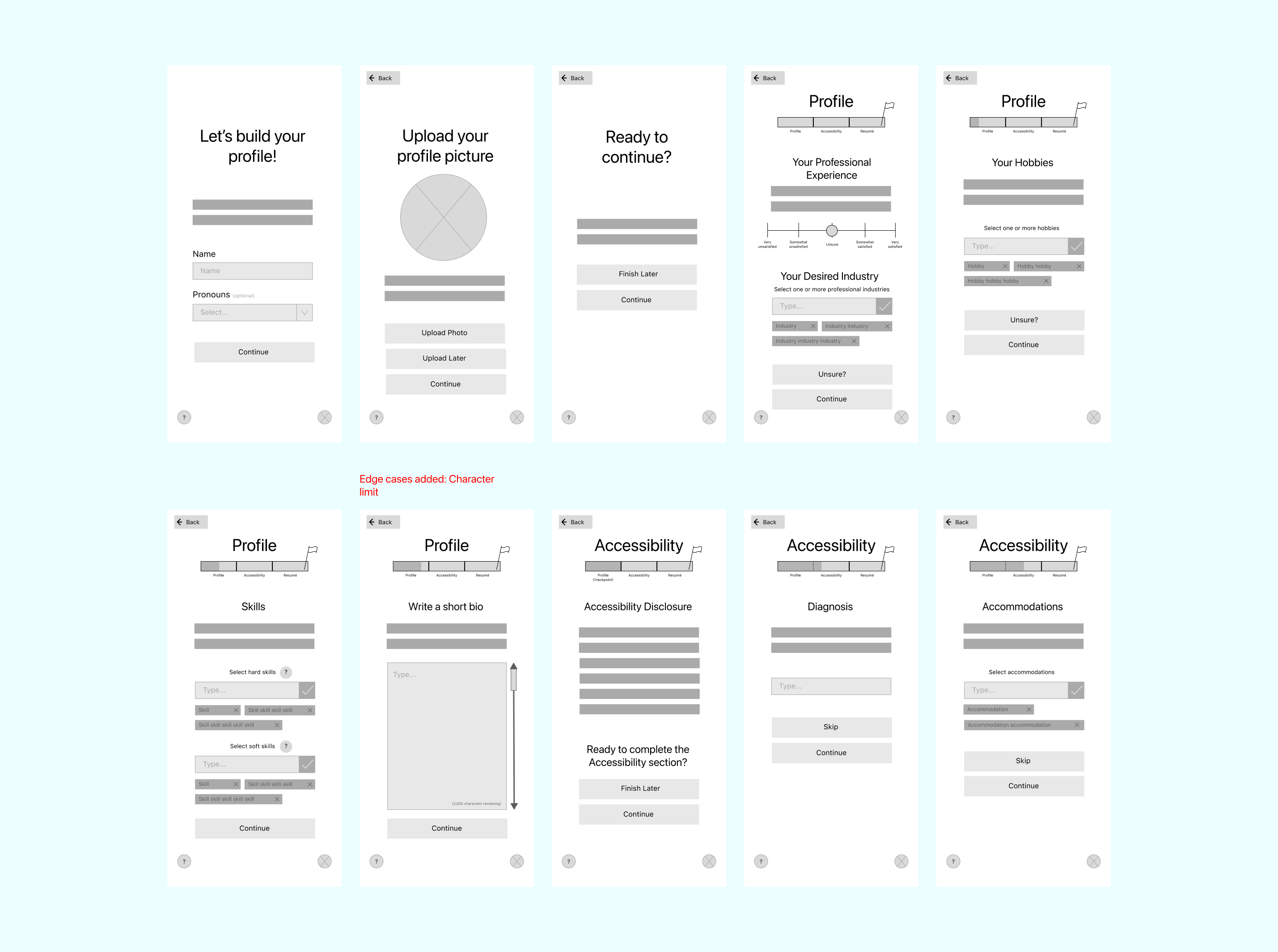
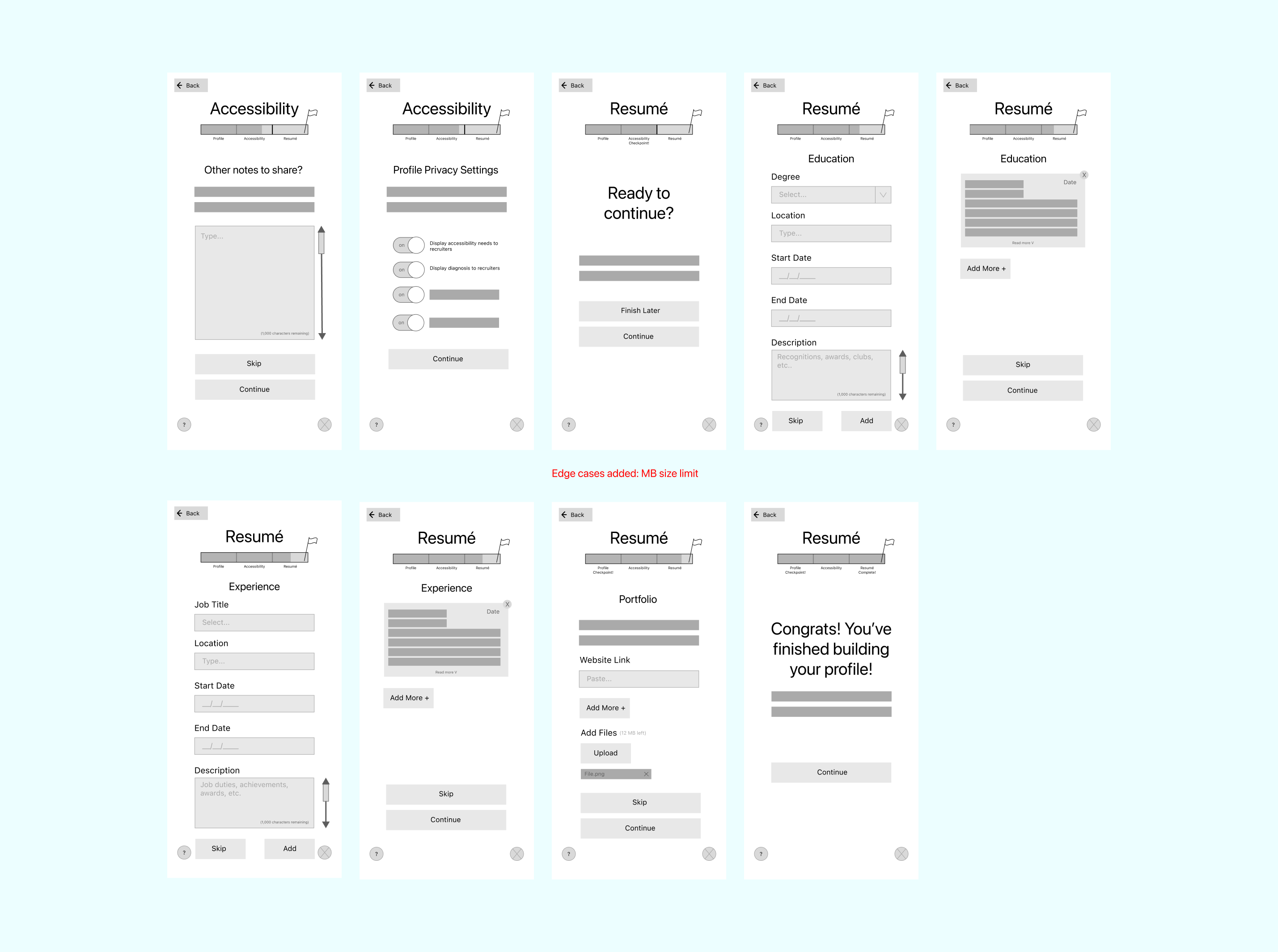
Wireframes
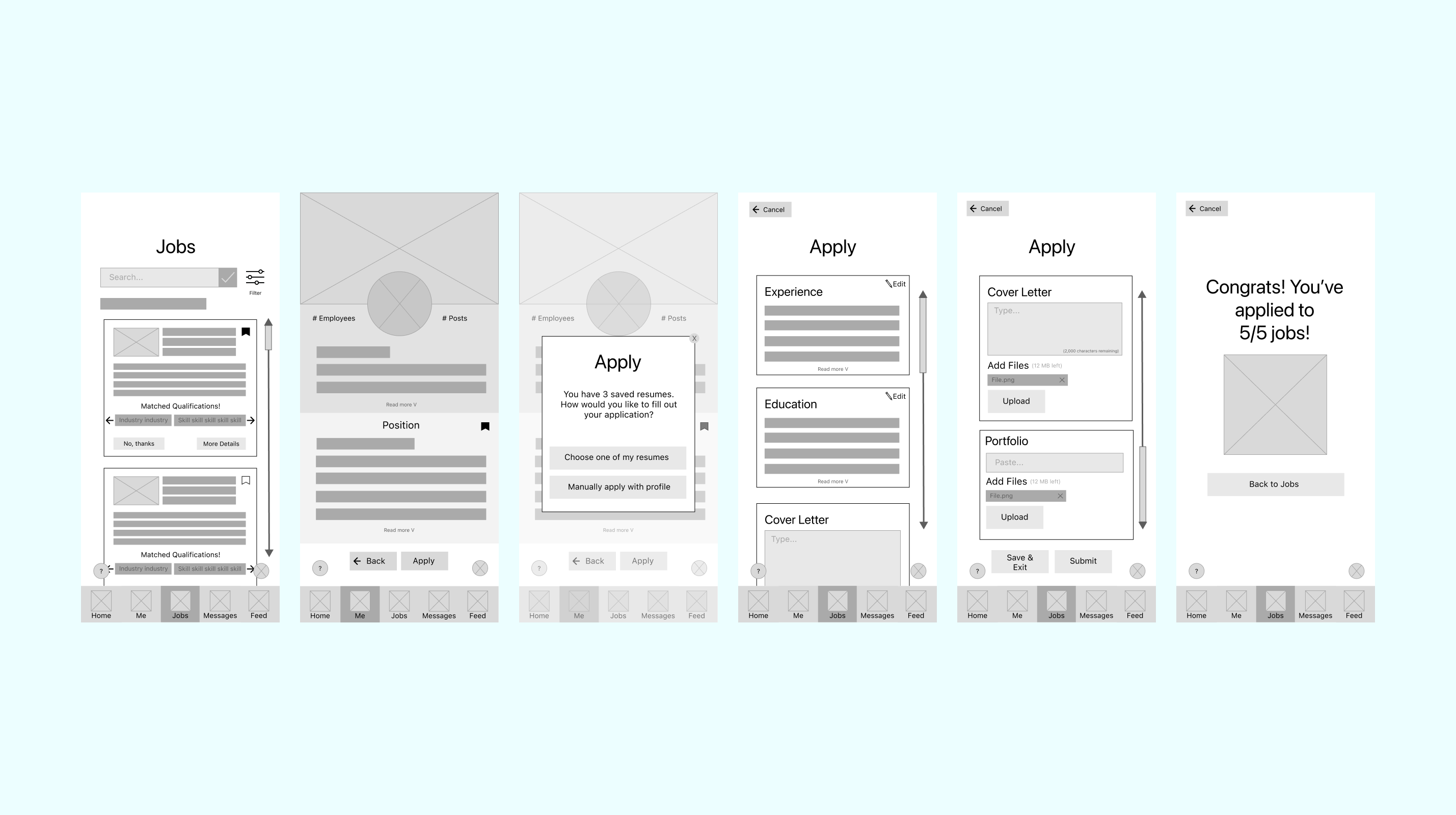
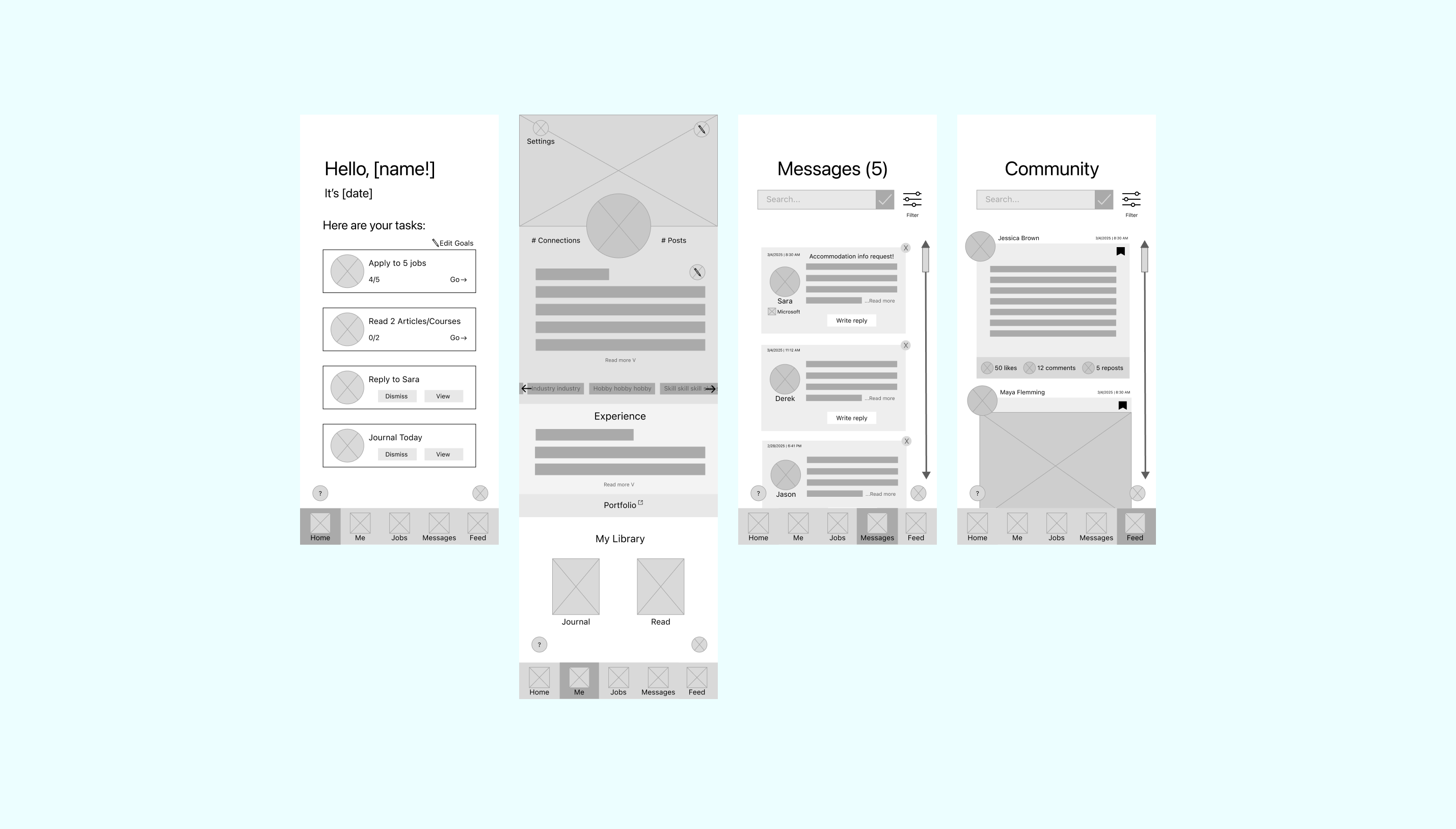
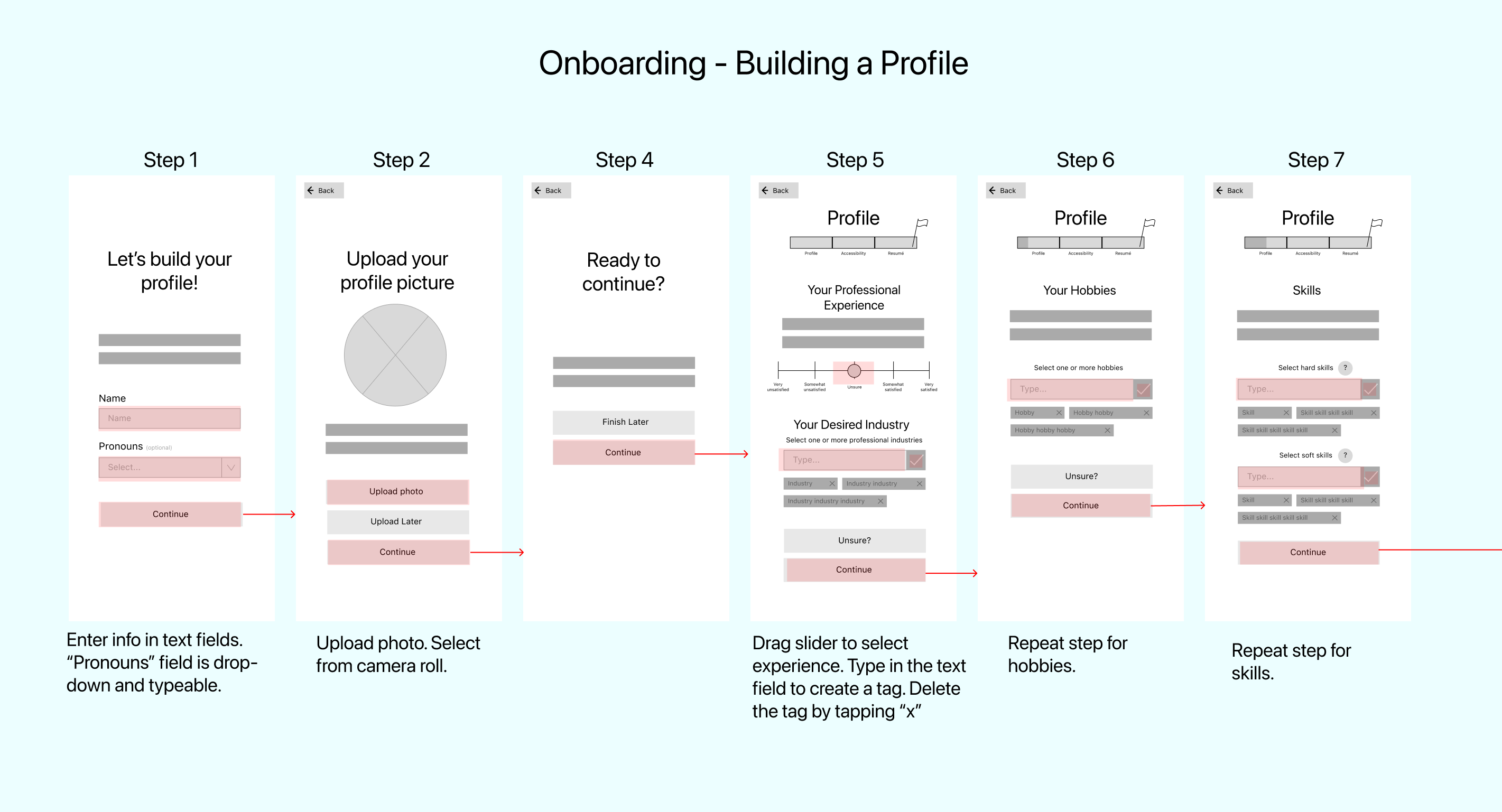
From the sketches, wireframes were created digitally in Figma. “Edge cases” are labelled to show edits to designs that assist users in understanding errors or potential limits.
Creating an Account
Onboarding
Applying to a Job
Main Navigation
Accessibility Settings
Additional Screens
In addition to red routes, more screens, like those for the navigation bar, were created to display functionality of other important pages of interest that are pivotal to the job search experience.
Wireflows
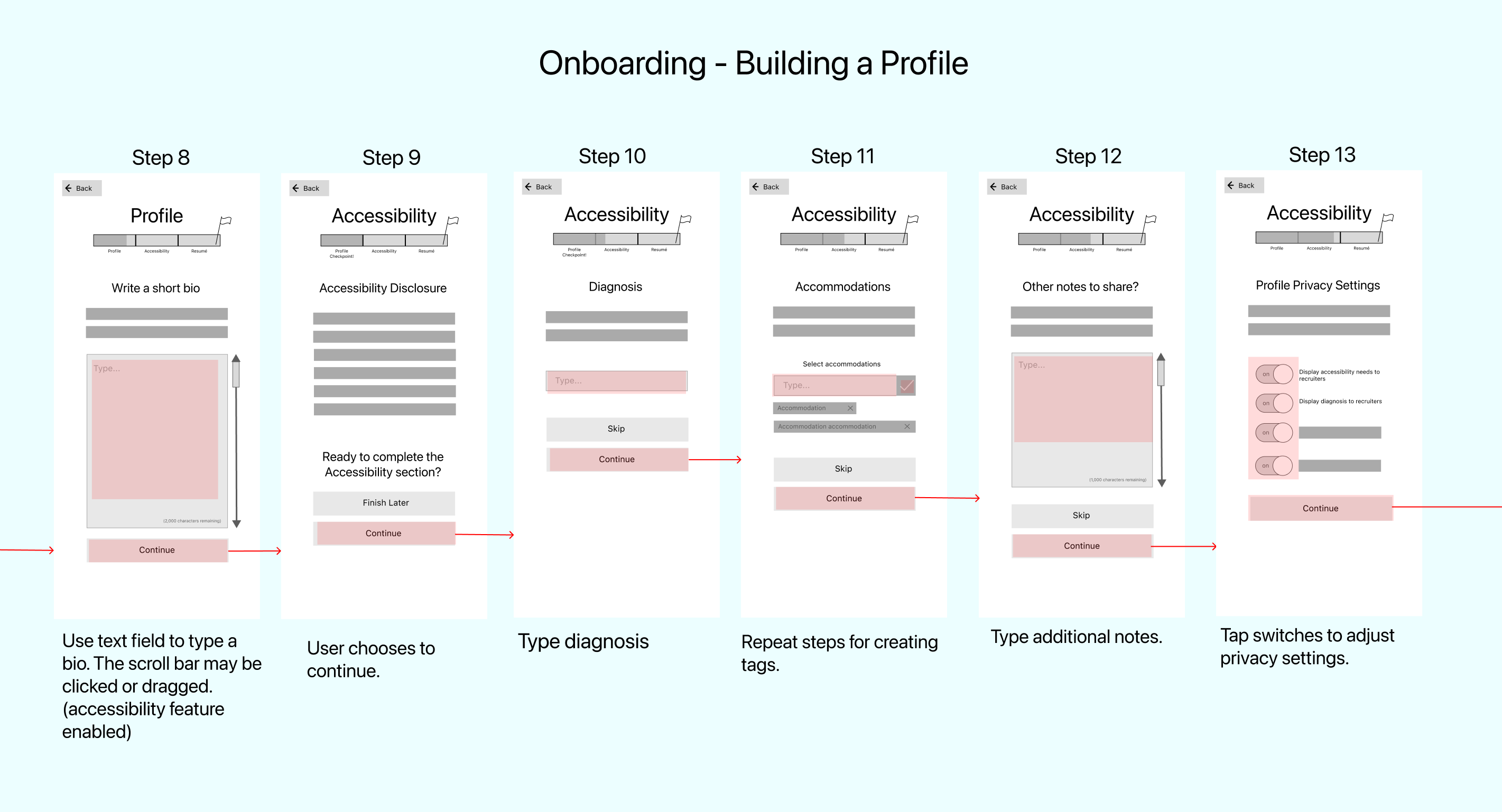
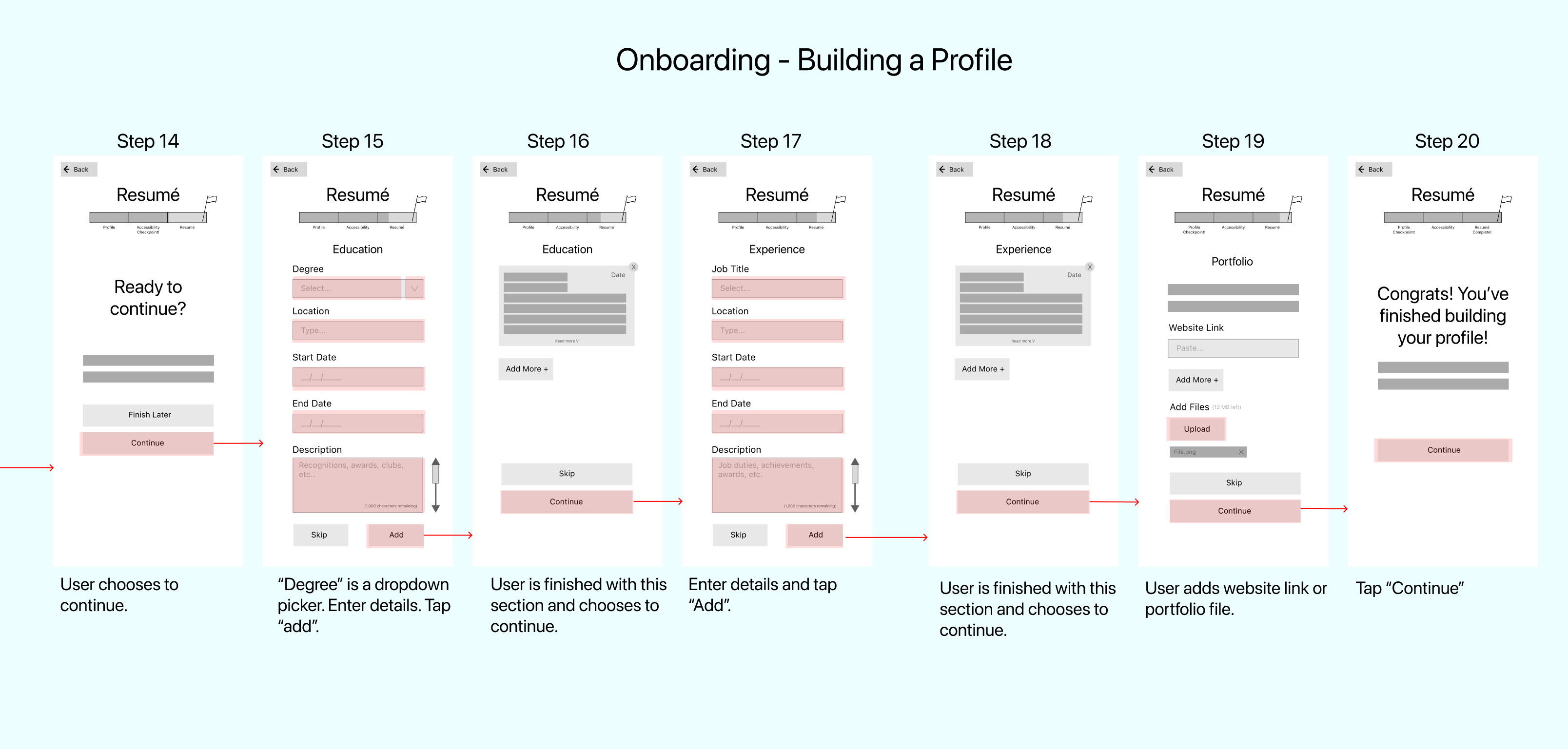
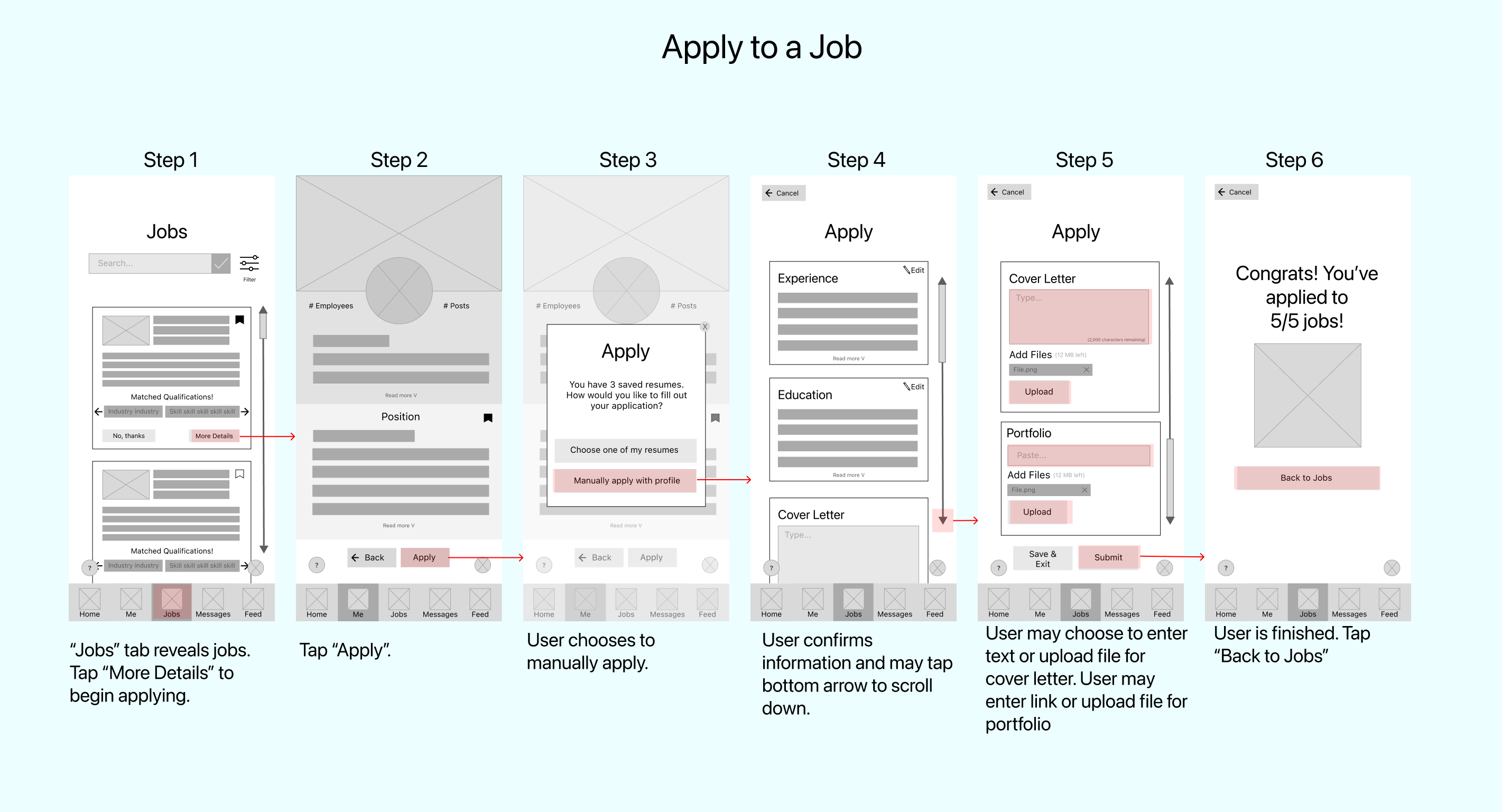
To demonstrate the exact points of interaction users take during red routes, wireflows highlight the progression of navigation.
Again, the three routes highlighted are changing contrast in accessibility settings, applying to a job, and onboarding. These routes highlight the core aspects of the needs of users looking for in an accessible service.
Accessible Service
By creating an app that is customizable to the user's physical and cognitive accessibility needs, this platform becomes truly user-focused.
Brand Platform
To prepare for creating high fidelity designs and an early style guide, a lightweight brand platform is generated. CareerAble's mission statement, brand personality, and attributes were defined as being accessible, professional, and uplifting.
To view the brand platform template, click: Brand Platform.
Mood Board
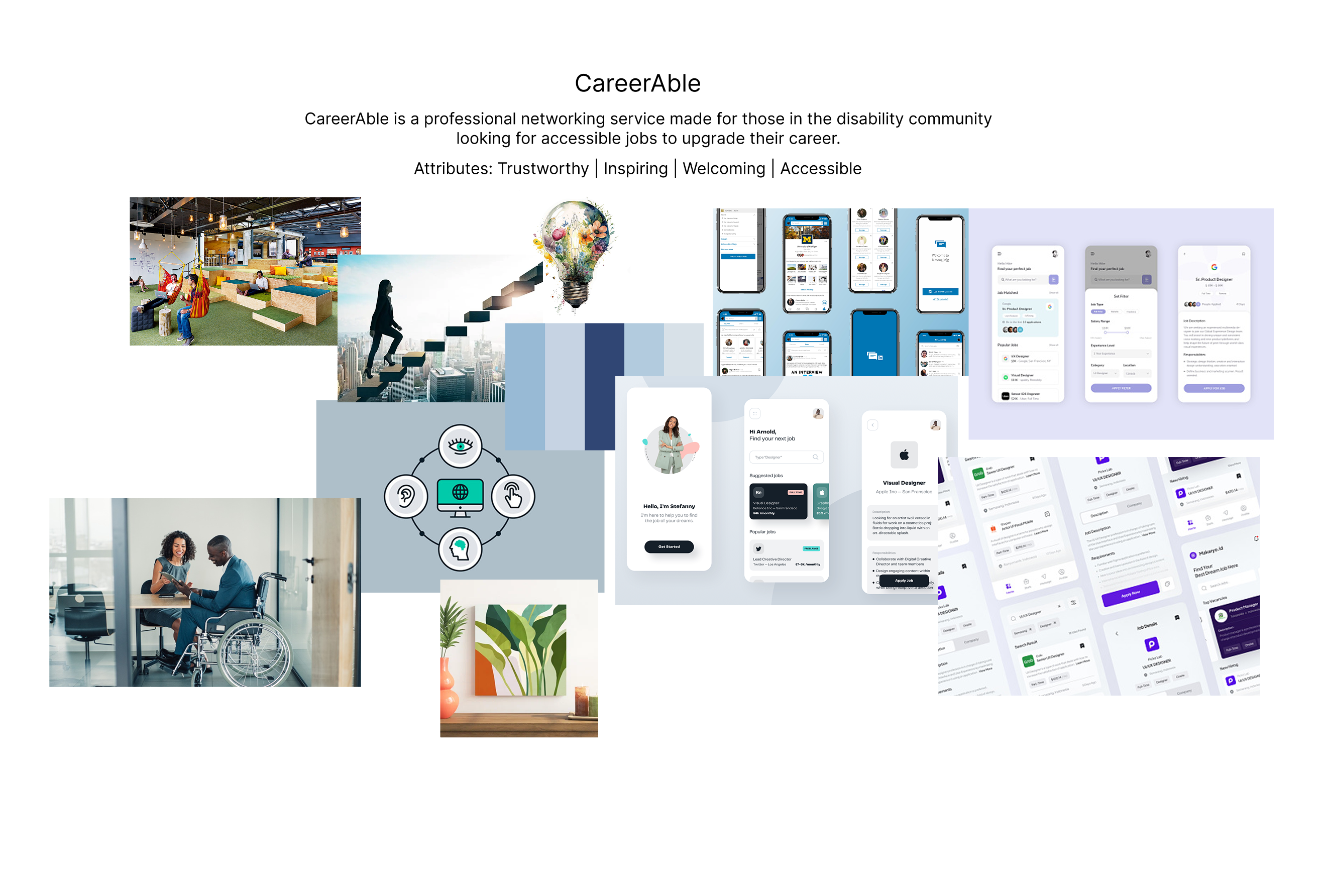
To display these ideas visually, a brainstormed mood board was created.
Visuals Summary
-
Imagery demonstrates working in a natural and comfortable workplace -- represent dream career
-
Inclusive imagery featuring accessibility iconography and photography
-
Cool tones represent growth and trust
-
UI features large buttons, large interactive elements, and clear content
Style Guide
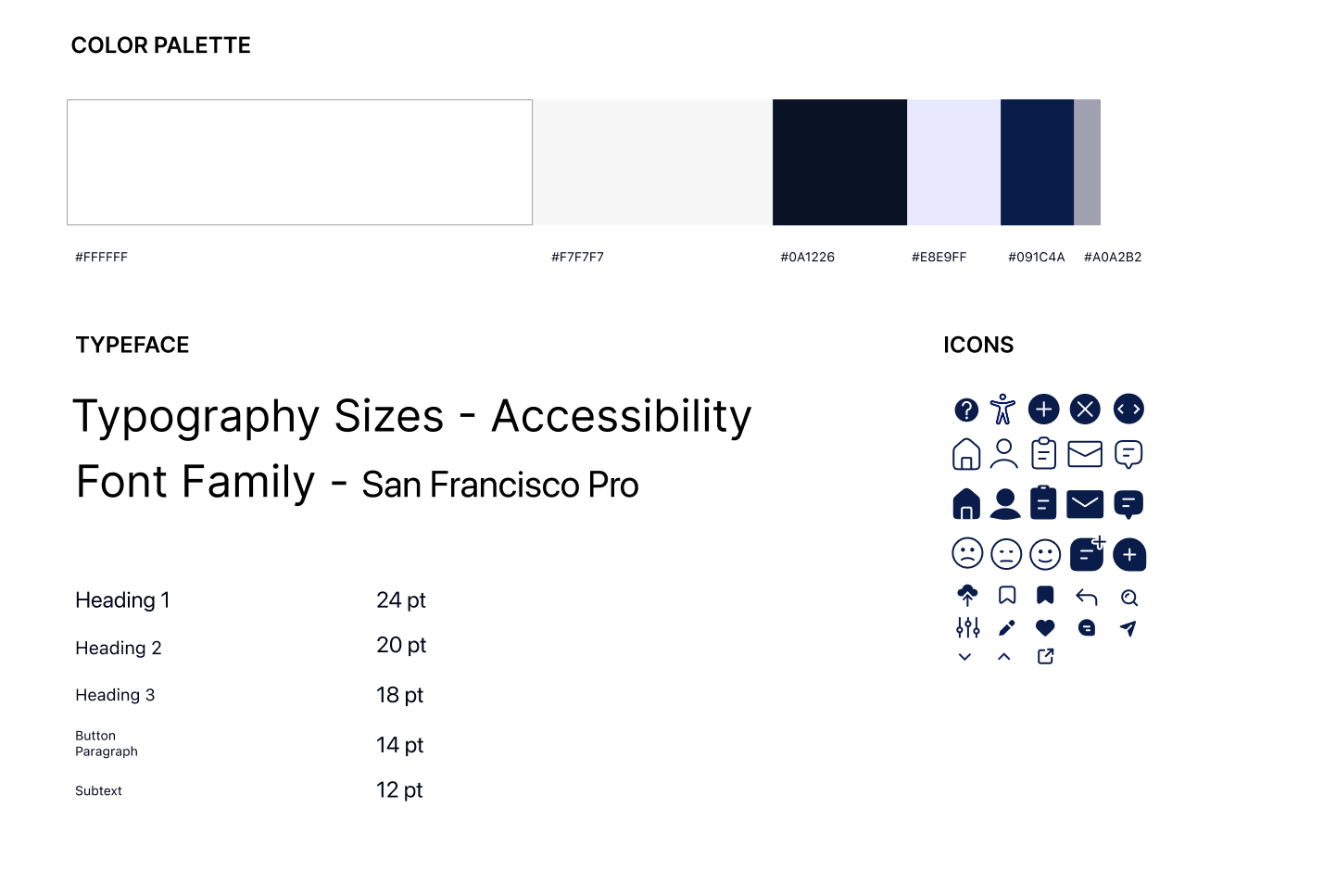
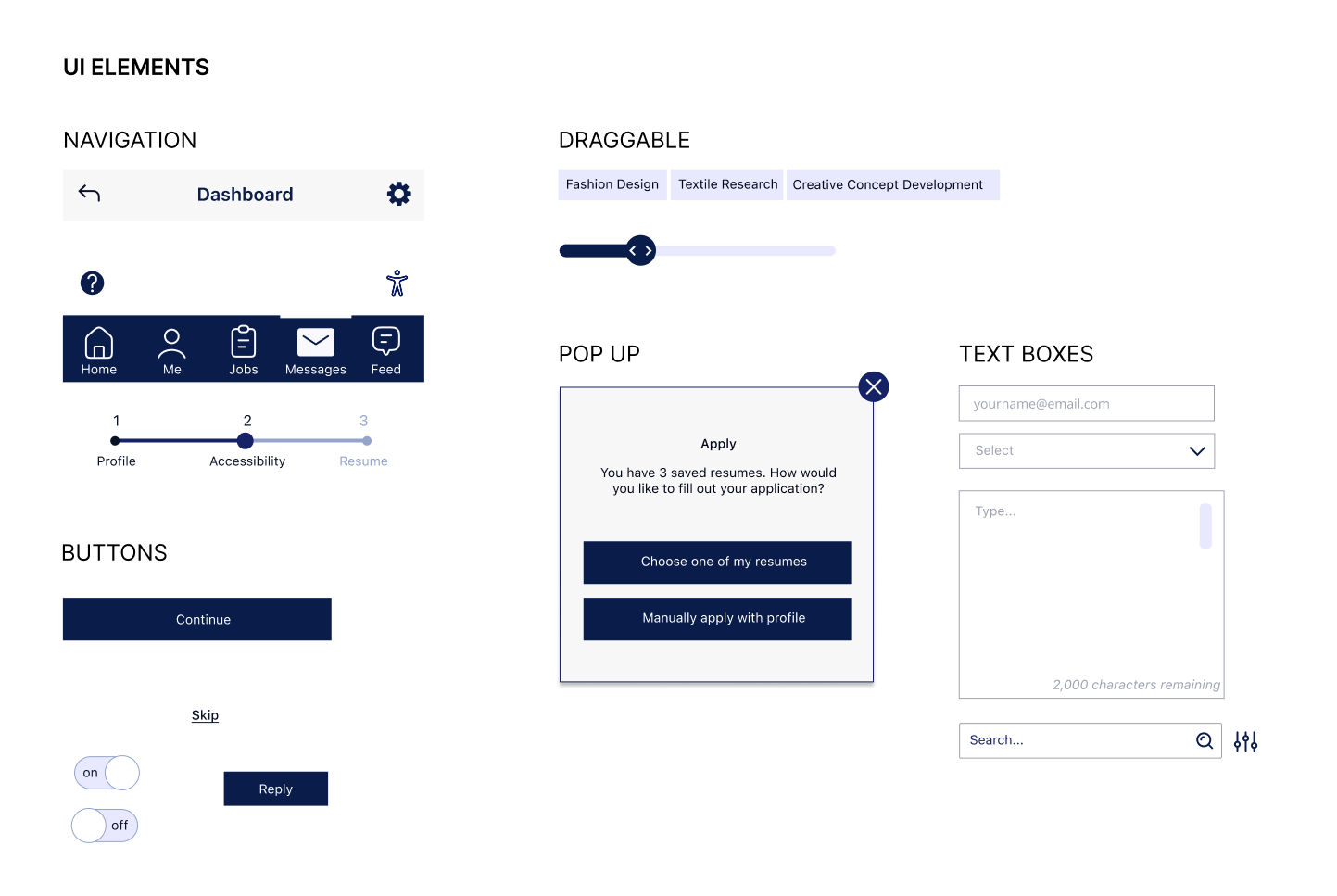
A style guide helps members on a design and developer team understand the most important reusable elements for all screens.
These visuals are synthesized from brand platform ideas, mood board brainstorms, and early wireframe elements.

Design Choices
In the United States, blue is recognized as the color for accessibility. CareerAble uses the color blue and a sleek monochrome range to evoke a sense of trust and professionalism.
Design elements include large accessible buttons, simple color blocking finishes, welcoming images, and simplistic iconography to promote universal design.
Accessibility Audit
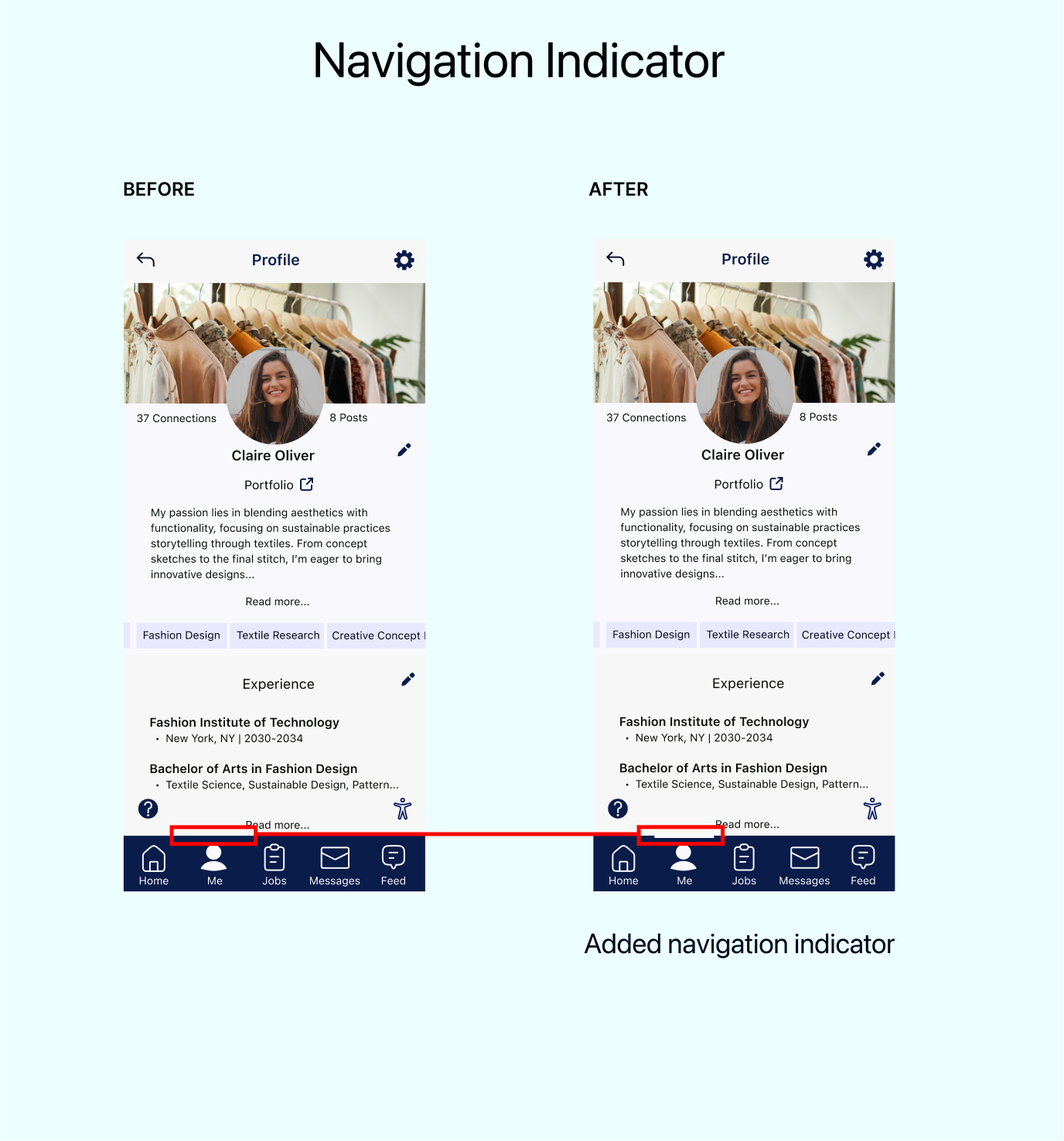
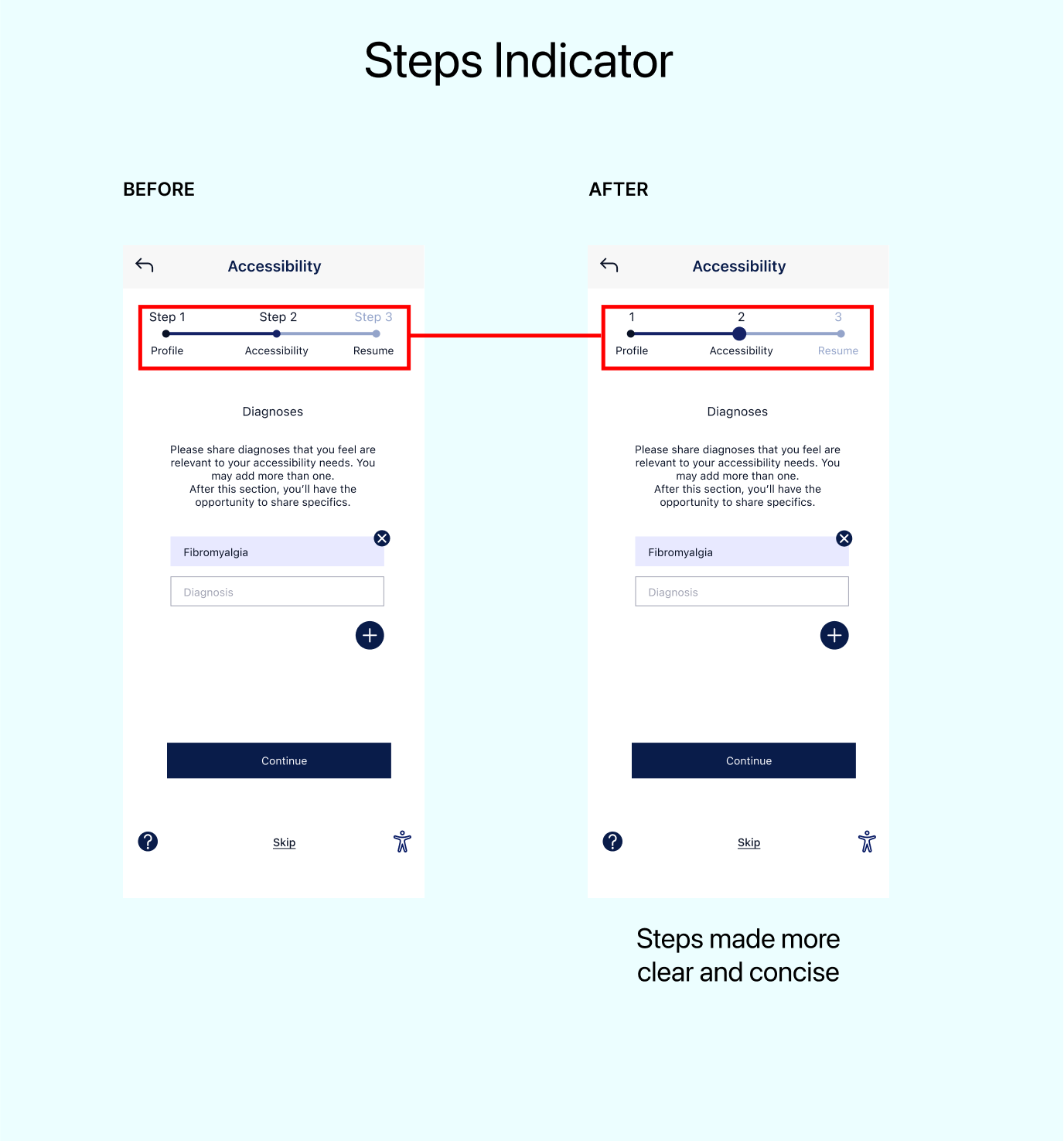
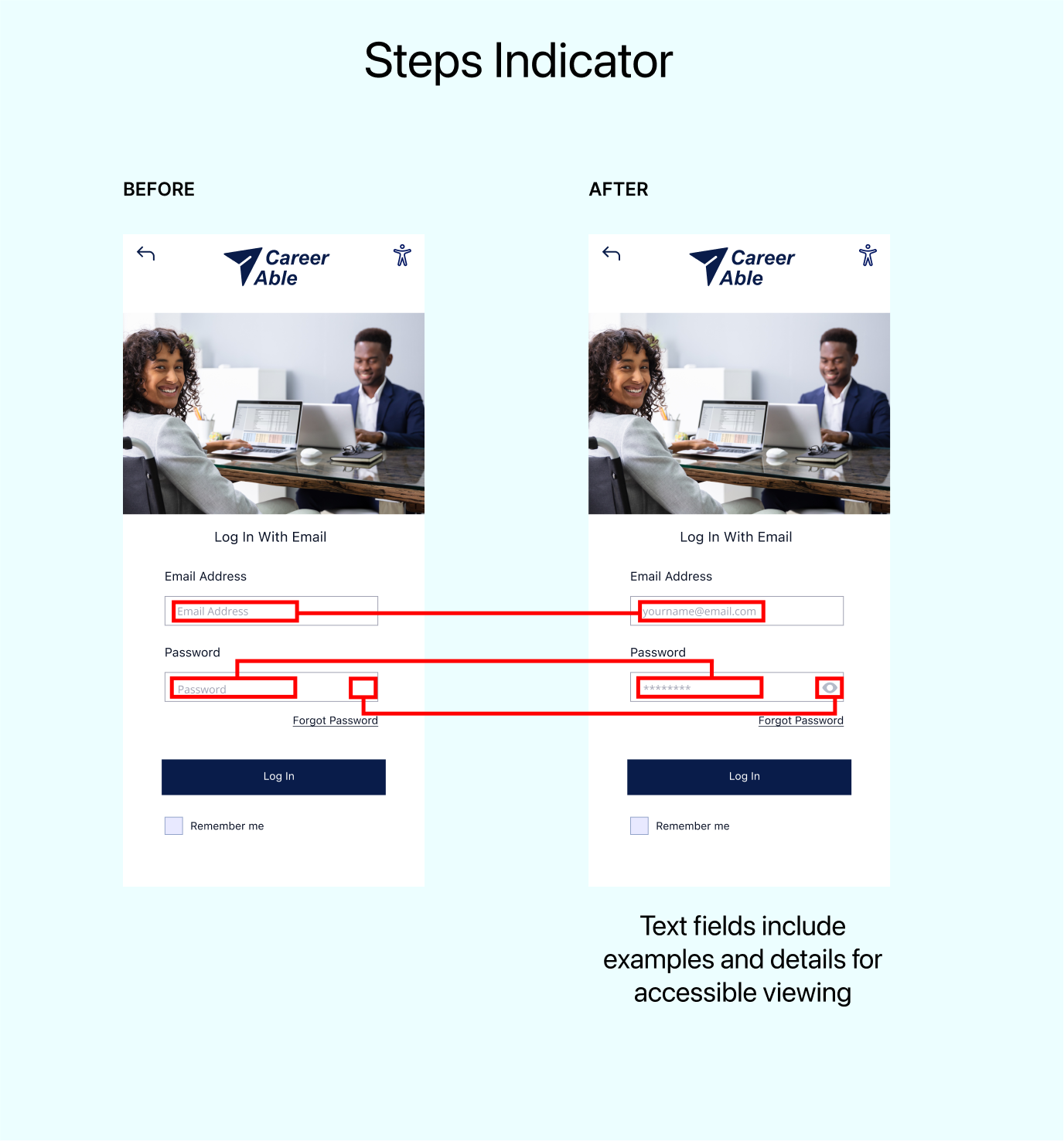
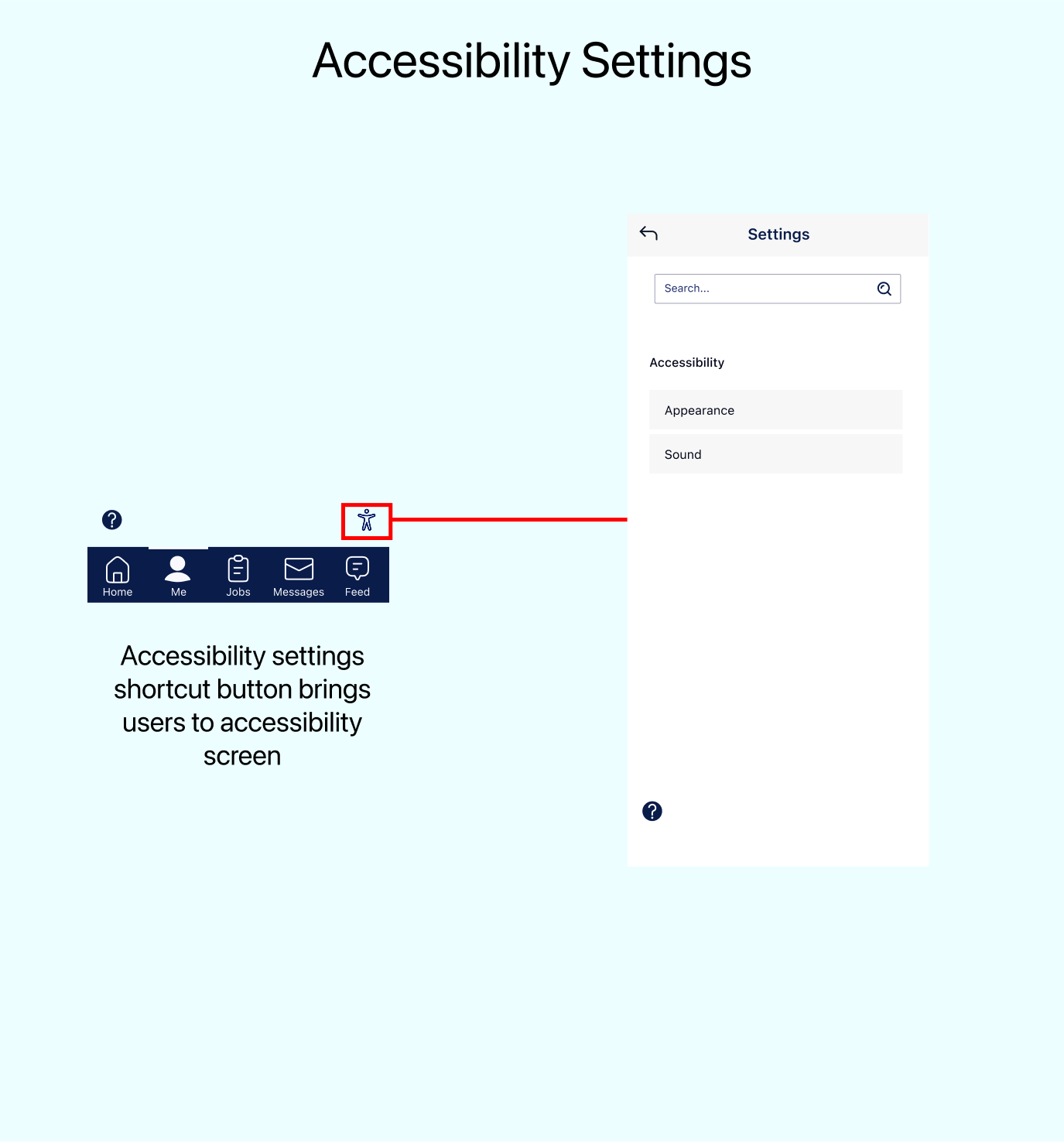
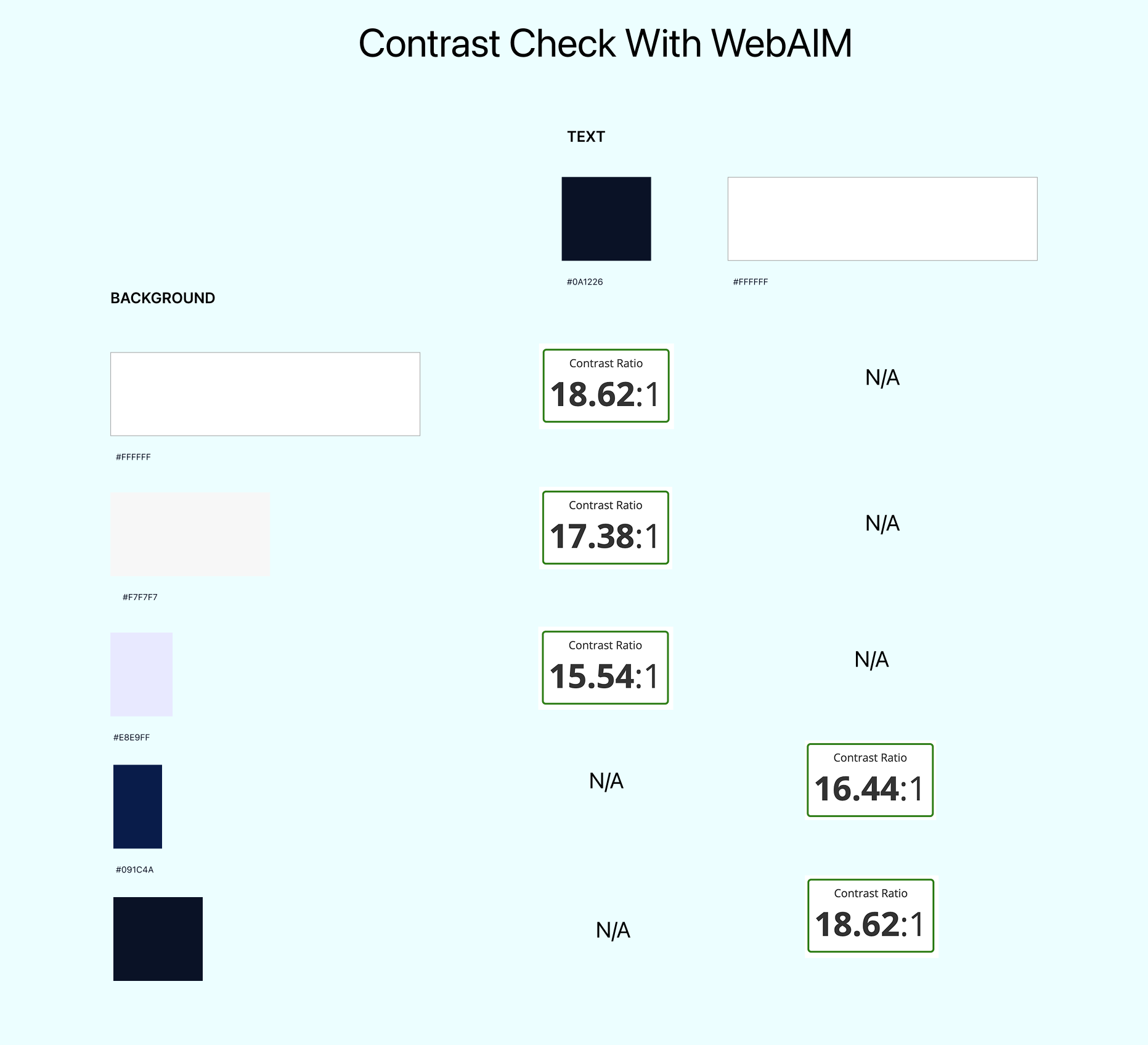
While every industry strives for accessible design, the goals of CareerAble are especially unique.
Users with vision, hearing, cognitive, and various physical impairments may use digital and physical tools in their everyday life to interact with digital services.
Here, we validate some accessible design choices and showcase CareerAble's unique accessibility features.
Early High Fidelity Designs
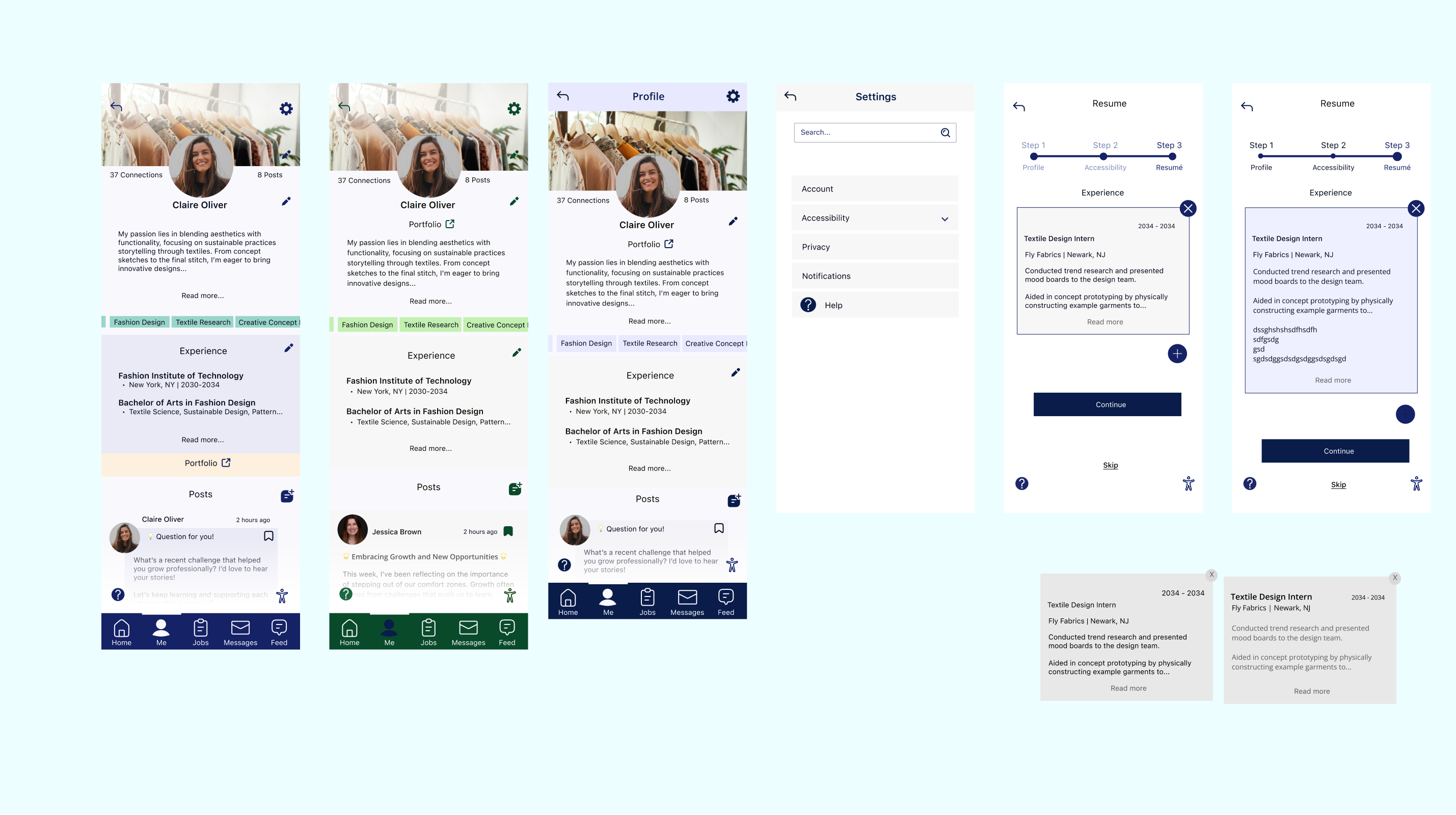
Wireframes were used as a base to create some early versions of high fidelity designs.
At this point, certain color schemes and motifs were being contrasted to create the best cohesive story for users to navigate.
Early High Fidelity Designs
Wireframes were used as a base to create some early versions of high fidelity designs.
At this point, certain color schemes and motifs were being contrasted to create the best cohesive story for users to navigate.
Here were some early design choices.
High Fidelity Design Previews
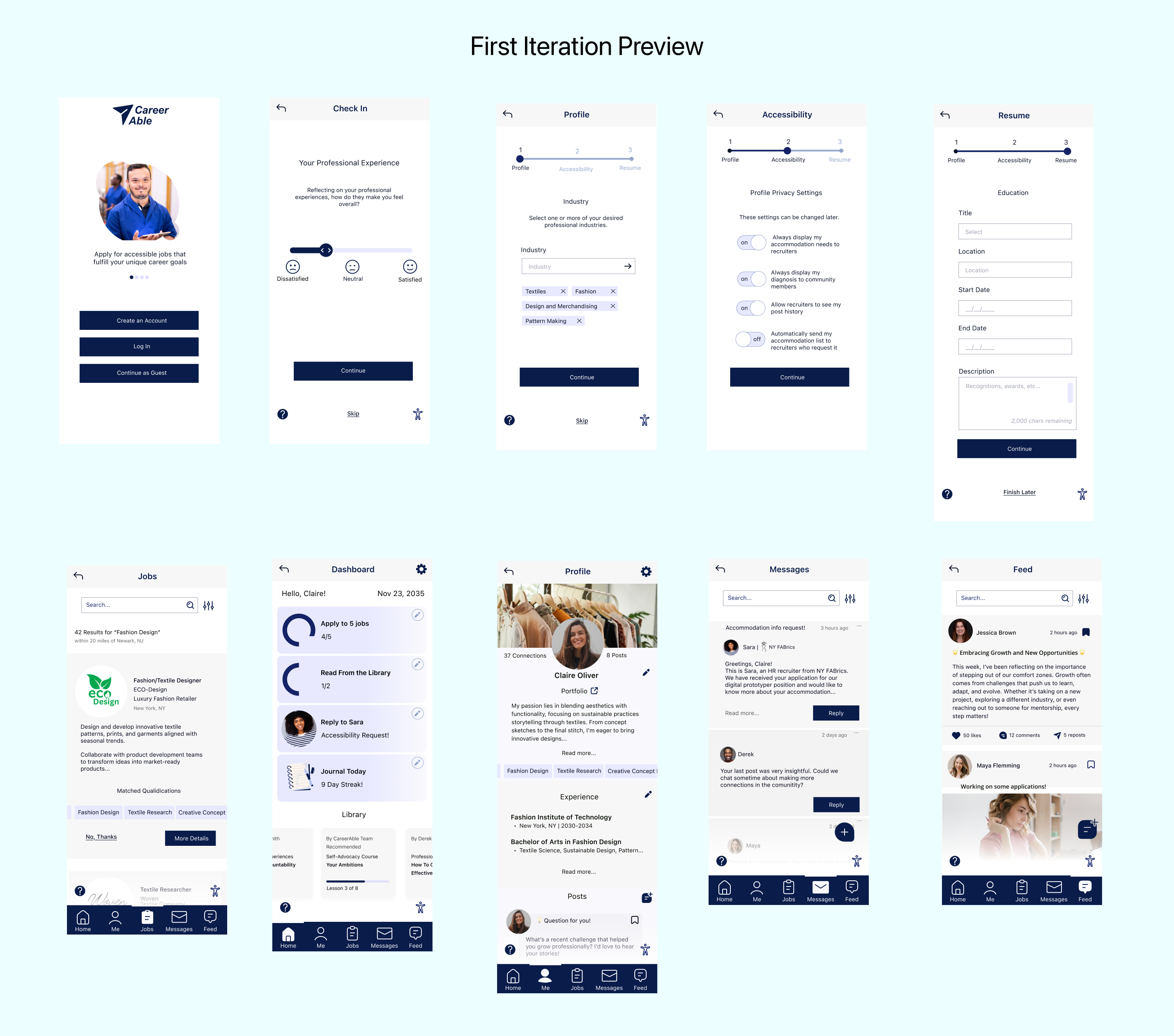
Several potential users who were once again contacted from the interviewing were asked about their preferences on color schemes and other design choices.
The following is a preview of the high fidelity design choices before the testing phase began.
Test
The Test phase of the Design process is dedicated to validate the chosen user flows align with the thought process of potential users.
Screens are tested for efficiency and accuracy in getting users to complete goals and make the most out of the experience.
Testing Phase Guide
Five users were selected to participate in remote user testing. There were three iterative tests in the testing phase. A guide was created to ensure that the process is effective and stays on track.
The following summarizes areas of interest in the testing phase:
-
Accuracy in successfully completing each user flow task (create an account, apply to a job, complete onboarding, operate accessibility settings)
-
Maintain engagement in these processes
-
Any additional issues in interacting with flows or user feedback
Results
Users were generally successful in completing flow tasks and remaining engaged throughout the process.
A chart was created to easily compare testing results between users. There were a few common issues users faced in the process:
-
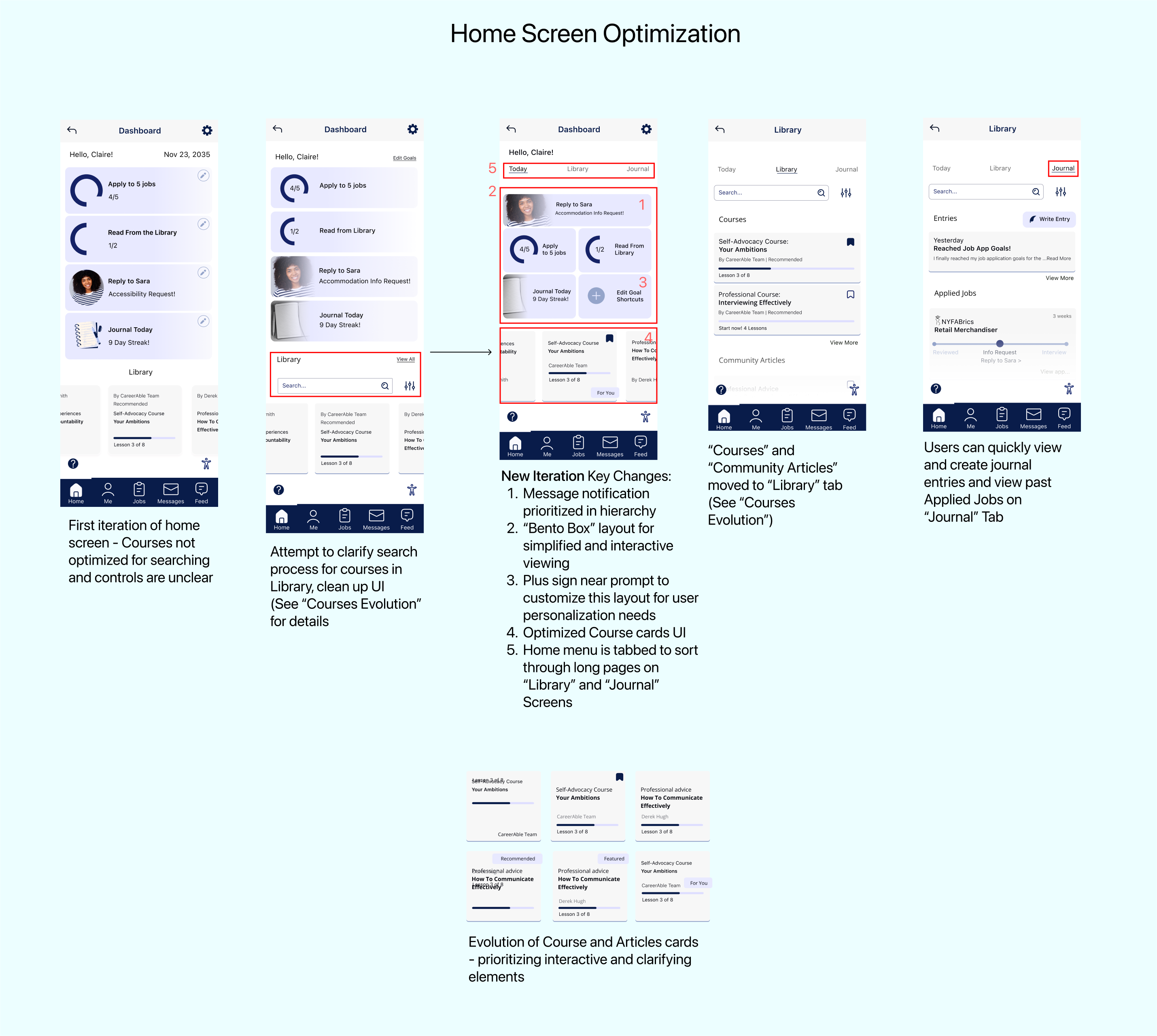
Users don't know that shortcuts on the home screen are tappable for quick access to completing tasks
-
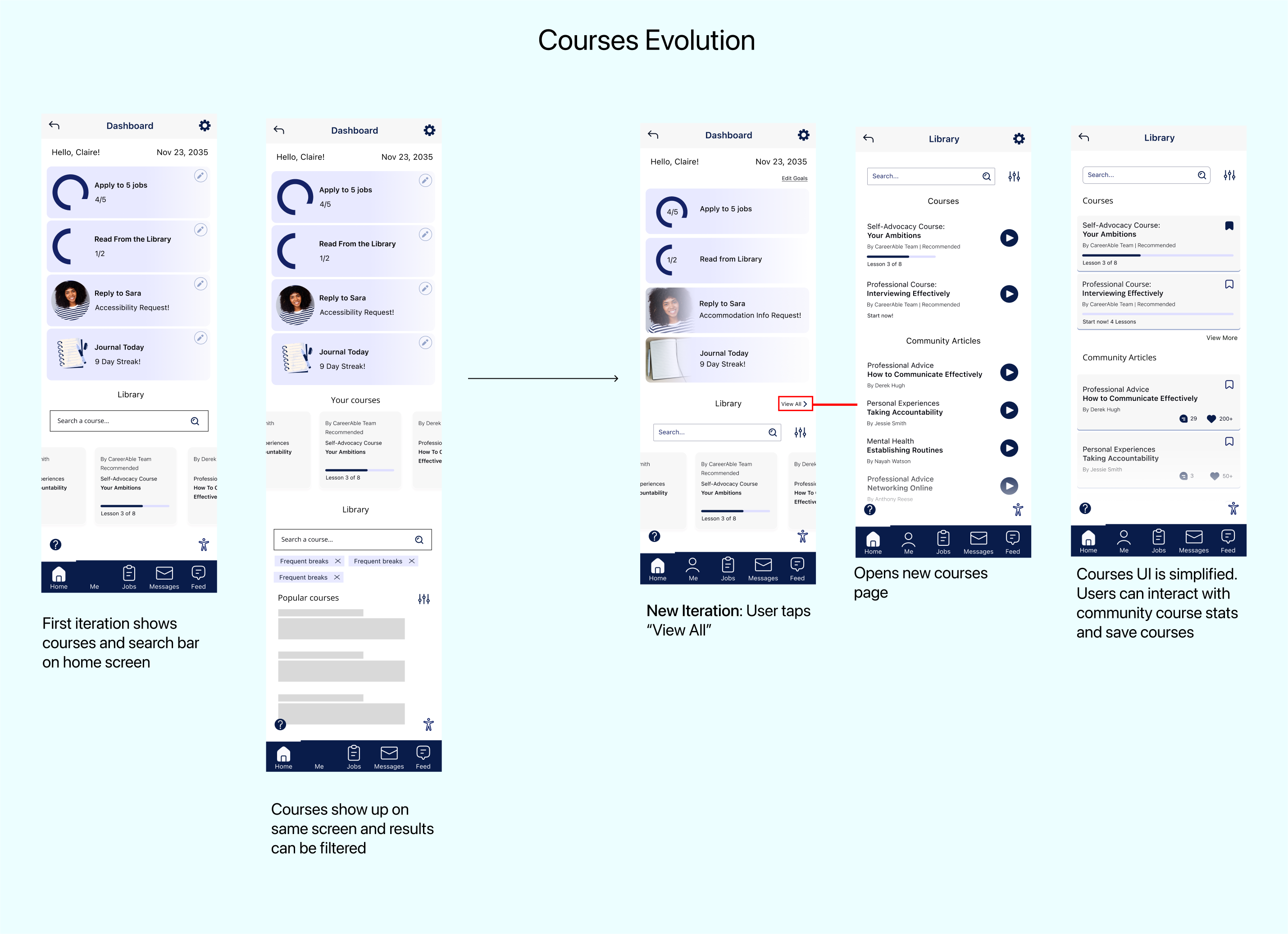
Users find difficulty in sifting through library of courses
-
Users cannot access jobs they have applied to
-
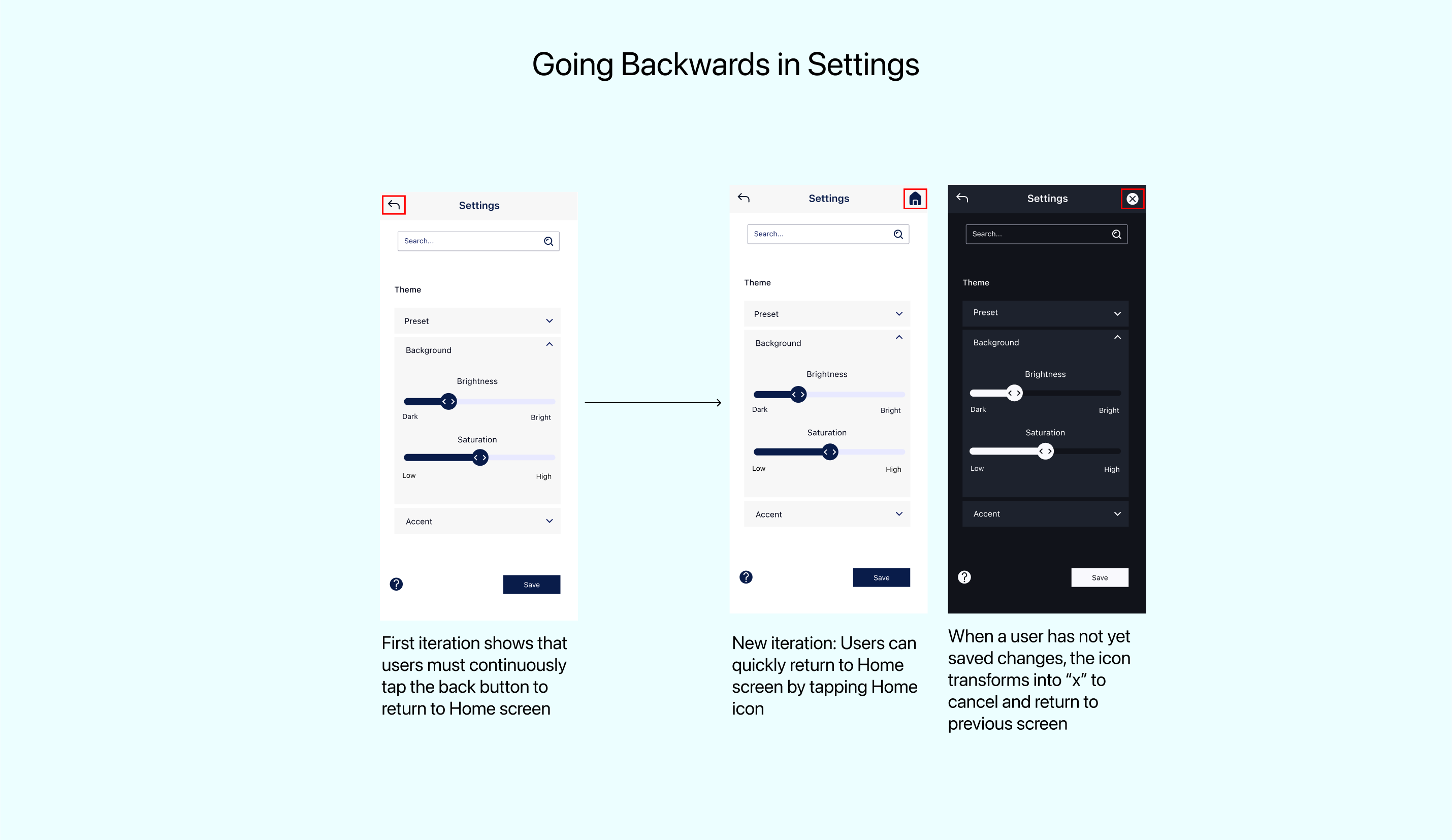
Users cannot go back quickly from settings to home screen (they repeatedly hit the back button)
Solutions
Here are the solutions for the above listed problems.
Final Prototype
At this stage of the Design process, animations and UI elements are polished for a prototype.
Final Thoughts
CareerAble is a service not only centered on universally accessible design, but a service dedicated to adapting to the unique accessibility needs of each user. With this in mind, there is so much more research that can be made in the future in regards to fine tuning the information in accessibility settings and adding more compatibility options for assistive devices. A revisit to the Information Architecture step would be necessary. A desktop service would also be in development.
In addition to these concerns, a recruiter-side version of CareerAble would involve a new design process in itself. To optimize a recruiter-seeker relationship, qualitative interviews and testing with recruiters would be necessary.
As CareerAble's online community (Feed) grows, this information would be helpful in improving the service and responding to the overall interests in the community for years to come.


bottom of page